

Apple has spent years losing on two fronts at once: lagging behind other voice assistants with its lacklustre Siri capabilities, and outpaced in the broader AI race too. Siri AI is an attempt to fix both problems, and it’s the biggest step forward for Siri since its introduction in 2011 – Apple described it as a “dramatically more capable and conversational assistant.”
But what does it actually change for users?
Requirements
Well, first of all, if you’re still running older hardware – nothing at all. Siri AI is part of Apple Intelligence and requires and iPhone 15 Pro or newer, or an iPad powered by at least an M1 processor. It also won’t be available at all in the EU for now thanks to legislative issues.
Beyond that, it’s technically still in beta for the foreseeable future while Apple irons out the kinks. Despite months of testing from developers, even with the public launch of iOS 27 Siri AI remains an opt-in feature that might still throw up a few bugs. Set your expectations appropriately.
To set it up, once you’re running iOS 27, go to Settings > Siri, tap Turn On Siri, then Try the new Siri.
What’s actually new
Lots is new with Siri AI, but let’s start with the biggest changes.
Personal context lets Siri search your messages, emails, notes, and photos to answer questions like “what restaurant did Sarah recommend?” Onscreen awareness means it can see and act on whatever’s on your display – reply to a text about dinner, then drop a recipe into Notes, without switching apps. World knowledge lets it pull live answers from the web instead of shrugging and opening a search page, or asking ChatGPT for help. And app actions let it actually do things inside apps on your behalf – send today’s photos to someone, add a meeting to your calendar, or chain a multi-step request together.
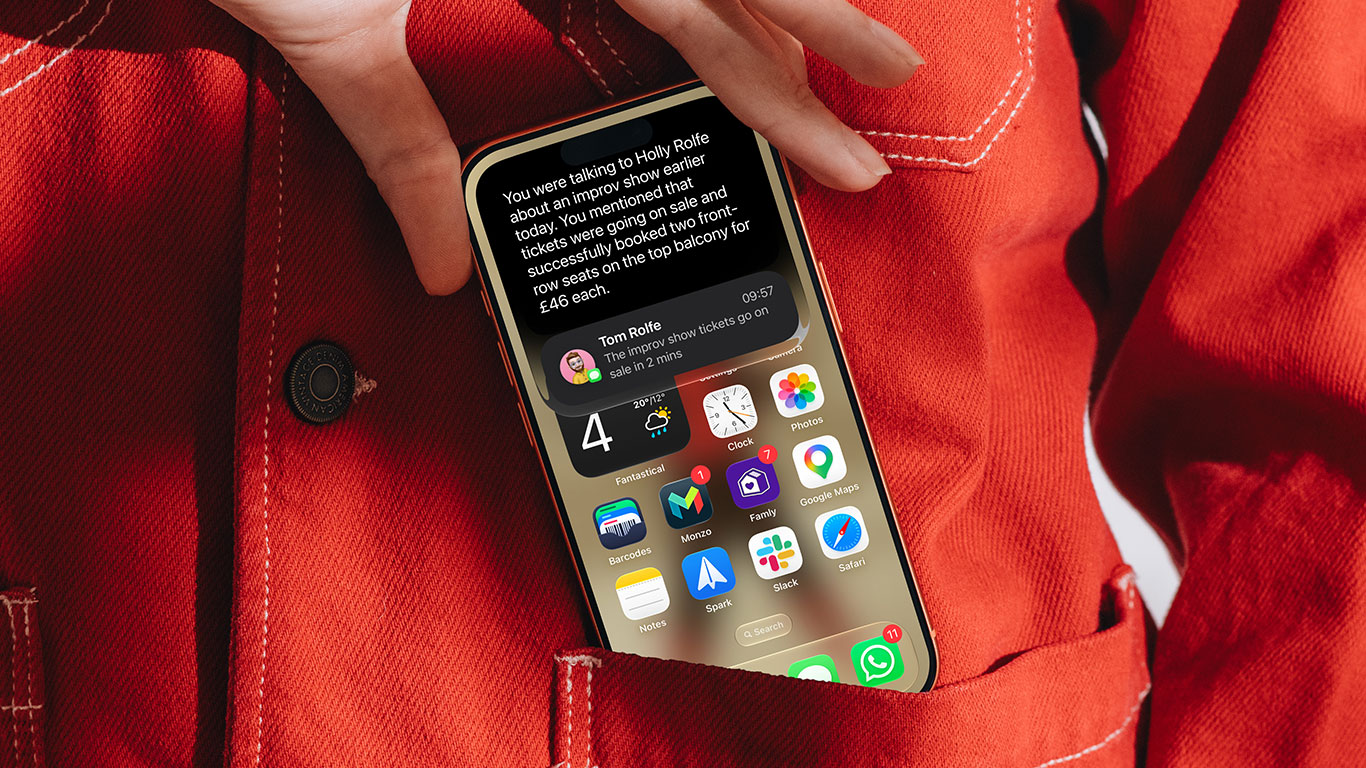
Combined, these changes (in theory) mean you can also just talk to it properly now – ask a follow-up and Siri remembers what you were just discussing instead of treating every request as a cold start. Considering the previous version of Siri sometimes struggled with the basics, this feels like a big upgrade.
A few things that would have been impossible to ask old Siri:
- Find the hotel confirmation buried in an email from three months ago
- Add an address a friend just texted you straight to their contact card
- Ask what a chart or document on your screen is actually showing
- Split a restaurant bill and get reminded to chase everyone for their share
- Get directions somewhere, with a stop added along the way, in one request
A new way in
Swiping down from the very top of the display used to bring up Spotlight search – now it opens a combined “Search or Ask” box instead, the easiest way to trigger Siri without speaking. Type in here and it’ll guess your intent: familiar results if you’re searching for an app or message, or a handoff to Siri if it looks like a question.
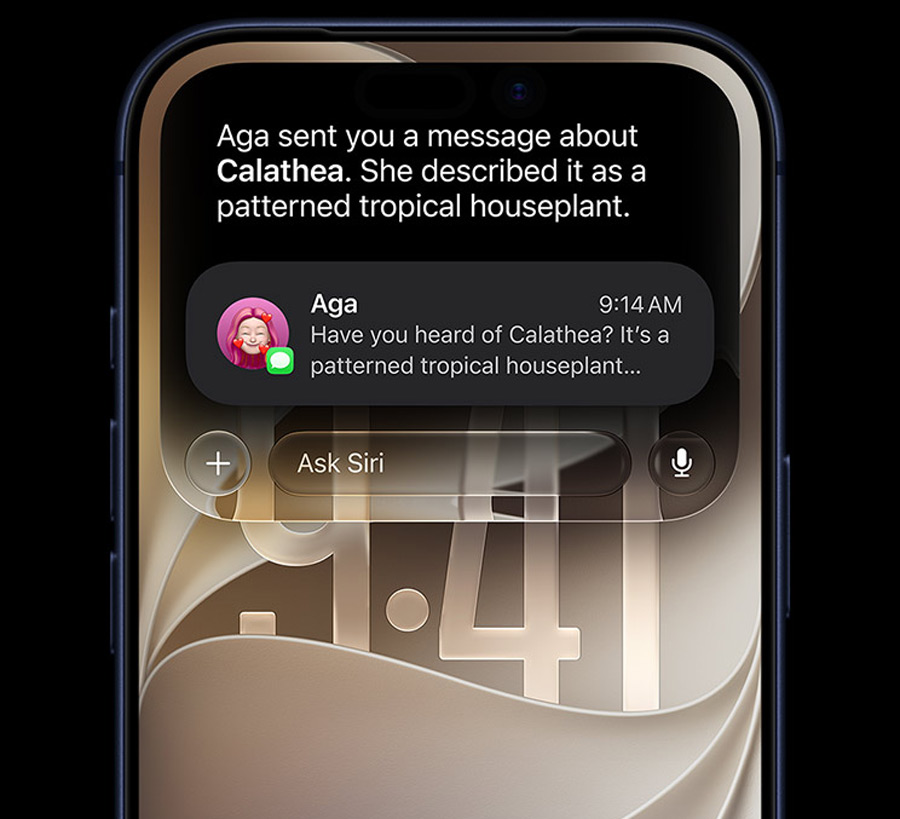
You can also long-press images, files, or text almost anywhere and as Siri about it directly from the contextual menu.
Finally, and most notably, there’s also a dedicated Siri app, for a more chatbot-like experience that lets you revisit conversations without starting from scratch.
Improvements elsewhere
Some existing featured powered by Apple Intelligence are new and improved with Siri AI too. Writing Tools should be more competent and are now built into Siri with systemwide proofreading. Image Playground leans harder into generative AI and is more advanced too. Everything else you’re used to from the last couple of years has had a quiet upgrade.
A pinch of salt
Apple is influential enough that even arriving late, it sets the tone for years of mainstream AI use – and has a responsibility to hold itself to a higher standard than the rest of the industry lately. Encouragingly, Siri AI seems to know it: ask it something in legal or moral territory and it’s quick to remind you it’s fallible, not an authority – useful caution as this lands in half the planet’s pockets.