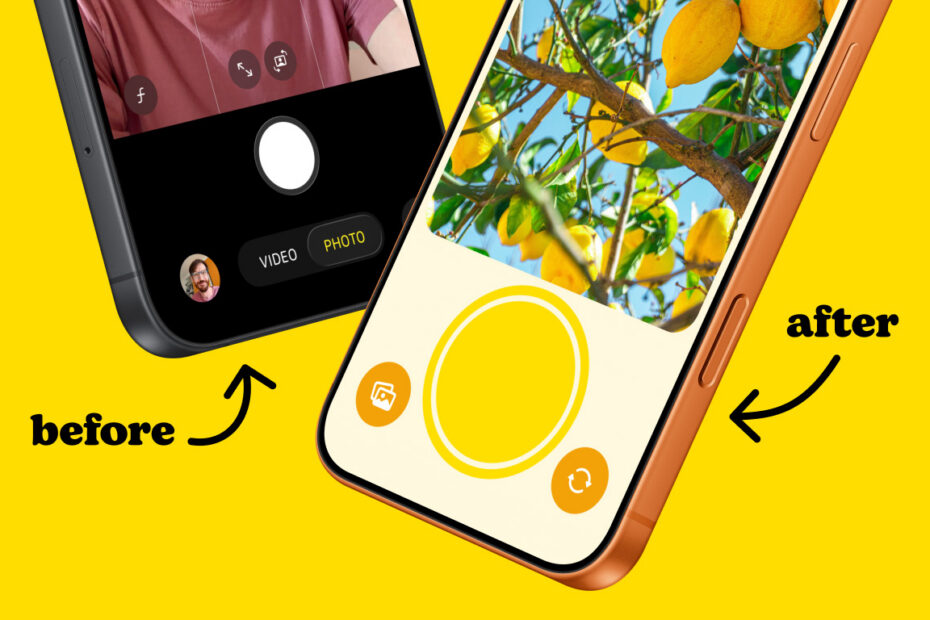

These days, you don’t need a fancy DSLR to take a great photo. Apple’s built-in Camera app is the most widely used camera on the planet, putting serious power in your pocket. It’s intuitive, free, and packed with features.
So why did I spend the past year redesigning it?
Two words: my kids.
The struggle
My daughters have always been curious about photography, and like many parents I’d sometimes hand over my iPhone so they could take a few pictures. I figured getting creative with a camera beats most other forms of screen time.
But I quickly learned that Apple’s Camera was a poor fit for my young kids – there’s simply too much going on. The controls were too fiddly for their little hands, and they kept accidentally switching modes or opening menus they didn’t understand. I also realised one wrong tap could land them smack bang in the middle of my entire photo library, complete with full sharing capabilities. Gulp.

So I started wondering what a camera app designed specifically for children might look like. Something easy for them to use, and easy for me to trust them with.
I’ve been writing about iPhone apps for over a decade as editor of TapSmart, and I think I know what makes them tick. I decided it was time to make the transition from critic to creator, to put my money where my mouth is and actually build an app of my own.
The solution
So I made a prototype: a super minimal camera app with a huge shutter button, no fancy modes, no gimmicky distractions, and a separate photo library my children could use independently without clogging up mine.

That basic concept worked immediately, but what really shaped the app was hands-on testing from my kids. When my eldest started rapid-firing dozens of nearly identical photos, I added a cooldown timer to encourage her to slow down and focus between shots. When my youngest struggled to tap the shutter at all (despite the huge button) I added optional modes that hide all other controls and allow taps anywhere on screen.
Arguments over when to stop were quickly put to rest with a daily photo limit, which provided a tangible end goal to work towards. A nice clear photo counter let the kids keep track of how many shots they had left – just like shooting on film. When they hit the limit, the camera shuts off automatically.

Initially built as an experiment for my own children, this simple camera – which I dubbed Lemon Squeezy – quickly snowballed into a full-fledged app. I realised it might help other families too and set about polishing it up for a wider audience.
The squeeze
First, I added a range of customisation options that let parents tailor the experience: adjusting the daily limit and shutter cooldown, the strictness of the child lock, and even the photo resolution to save storage. Next I worked on special modes to support various accessibility needs, and I simplified the interface further after stress-testing from my kids and their friends.
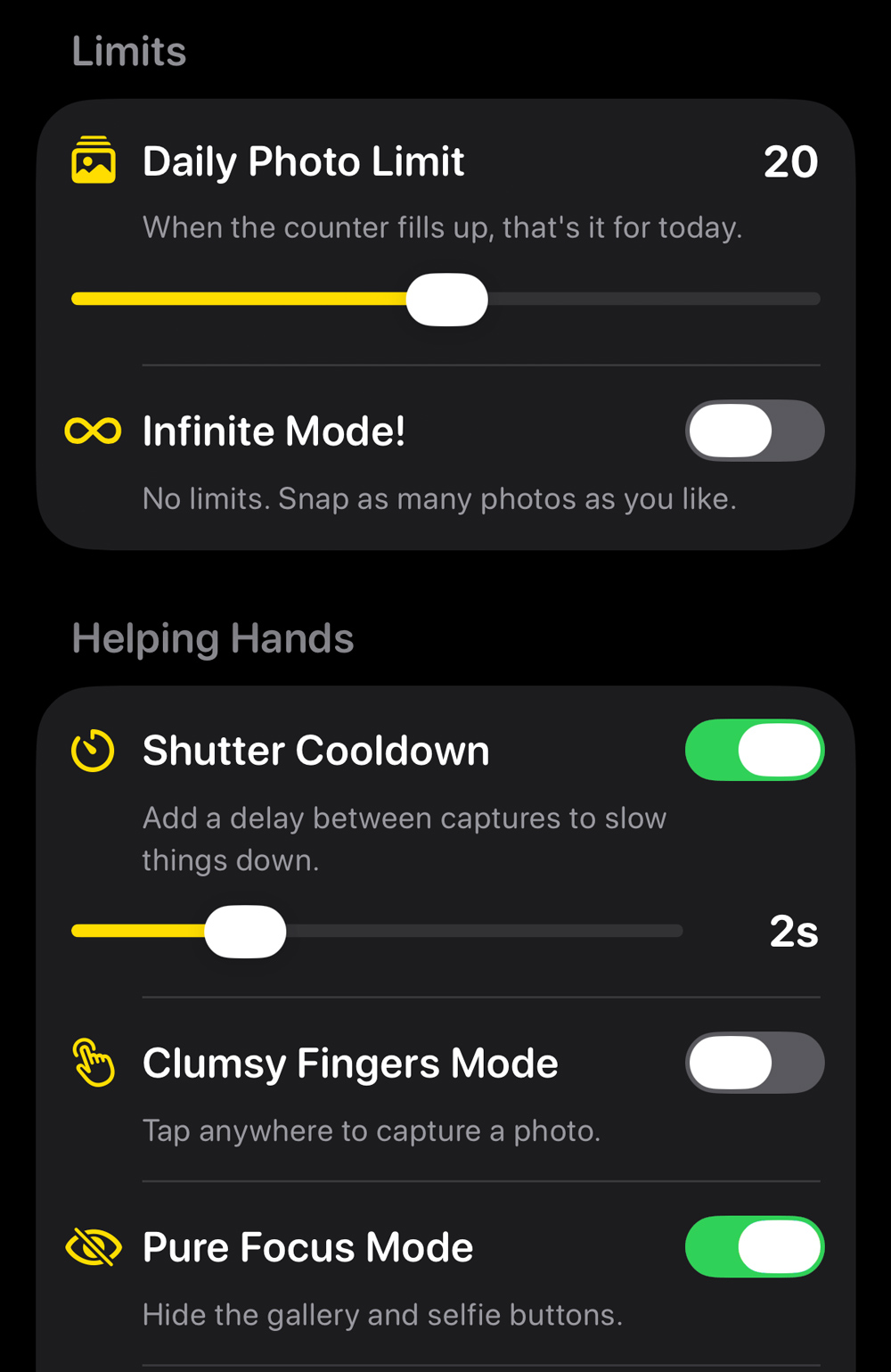
Next up, privacy. This is important for any app, and doubly so for one aimed at kids. So Lemon Squeezy is squeaky clean: no ads, no tracking, no nothing. It doesn’t store location metadata, so photos can be shared without feeding the social media profiling machine – images are timestamped and that’s it. All settings are hidden in a secure parents-only area.
Ultimately, my goal with Lemon Squeezy is to give kids a chance to explore photography without giving their parents another screen time headache. Whatever happens next, I’m proud of the outcome – and I’ve got a fresh perspective on the developer journey for my next app review.