
Your iPhone can help you be productive or engage you in immersive, interactive experiences. But sometimes you just want to relax and watch some television. This round-up helps you find out what’s on, track your viewing habits, and play local movie files over your home network.
JustWatch (from free)
- Best what’s on (and where) guide

Once upon a time, people watched whatever was on TV. Maybe via a handful of terrestrial channels, or by blazing through dozens on cable. Then video recorders introduced time-shifting, and finally streaming services blew the notion of schedules to pieces. The upside: you no longer need to remember when something’s on. The downside: you now have to remember where to watch it.
JustWatch exists to solve that exact problem. Sign up, confirm your location, select the streaming services you use, and the app gets to work. The Home tab’s Discovery Daily sends recommendations your way, while New, Popular, and Sports let you quickly filter lists by release date, popularity, rating, and more. If you already know what you want to watch, there’s a search button too.
Each movie or show page lays out where you can stream, rent, or buy it, and taps will send you straight to a relevant app or website. There are also embedded trailers, a handy watch list for future viewing, and series tracking – although dedicated apps are a better bet for the last of those. But as a map for the fractured streaming landscape, when you’re tired of hunting for where something’s playing, JustWatch is ideal.
Letterboxd (from free)
- Best iPhone movie tracking app

We’ve all been there. You settle in for a movie, something feels off, and half an hour in you realize you’ve already seen it. Worse, it’s terrible. Letterboxd helps stop that happening, and you can also warn others not to make the same mistake.
The app works by being part movie tracker and part social network, although you can ignore the latter bit if you want to avoid people endlessly arguing online about which Star Wars movies are worse than being choked by Darth Vader. The tracking’s the best bit anyway. Look up a film, check its trailer and details, and add it to your watch list. When you’ve seen it, log a rating, jot down a note, and tag it. Future you can then do a sanity check before hitting play again.
Over time, Letterboxd builds to a wall of posters reflecting your tastes, complete with filters to hide the bad stuff. And if you later decide you can no longer keep your thoughts to yourself, you get the option to unleash your inner movie critic, sharing your hot takes on the latest blockbusters with the world.
Television Time (from free)
- Best TV show tracking app

Tracking TV shows is messier than movies. Episodes pile up, seasons sprawl, and before long you’ve no idea what you’ve watched – or where you left off. Television Time aims to cut through the chaos.
Getting started is simple. Use the search button to access Discover, pick a show, and tap the inviting ‘+’ to add it to your queue. From there, two views help you stay organized. Shows groups TV shows by whether they’re airing, returning, or ended, or you can sort them by name, network, or year. To Watch details how many episodes of each show you have left and what’s coming up next.
Clearing episodes is painless. Tap the tick in To Watch or open a series by tapping the episodes button, and mark where you’re up to. Television Time will offer to mark everything to that point as watched. Extras like spoiler hiding and Calendar sync round things out, reinforcing the sense this app is a labor of love by a true TV fan.
The free tier limits some features and caps you at five tracked shows, but it’s perfectly usable for the essentials. Pay up, though, and Television Time quickly becomes a command center for your TV habits.
Infuse (from free)
- Best iPhone video player

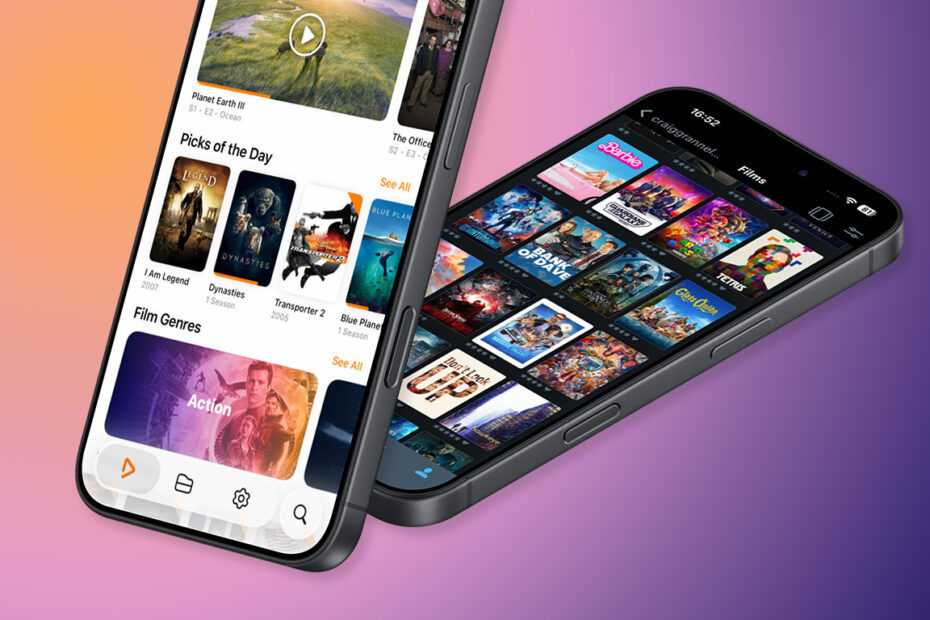
Streaming’s great, but if you’ve got a sizable collection of movies and TV shows sitting on a local network drive or computer, you’ll need an app to play them. Connect to a share, favorite a folder, and Infuse will blaze through your files. Assuming they’re sensibly named, it’ll quickly pull down cover art and synopses.
For tech types, there’s a lot to love. The app supports a slew of formats and can stream from services like Plex, as well as online storage – although the latter requires Infuse Pro ($2/£2 per month, $18/£18 per year, or $100/£100 lifetime). The upgrade also unlocks cross-device playback sync, plus AirPlay and Google Cast support, although since Infuse exists for Apple TV, AirPlay won’t matter to most.
Where Infuse shines most, though, is in making something complicated feel effortless. If you’re hard of hearing – or in a place where you can’t pump up the volume – the app provides fast, painless access to subtitles. The Home page can be reorganized to taste. Individual shows and movies can be downloaded locally, rated, and added to lists. But even if all you ever do is point Infuse at a folder and start watching, it’s one of those rare apps that just works.