
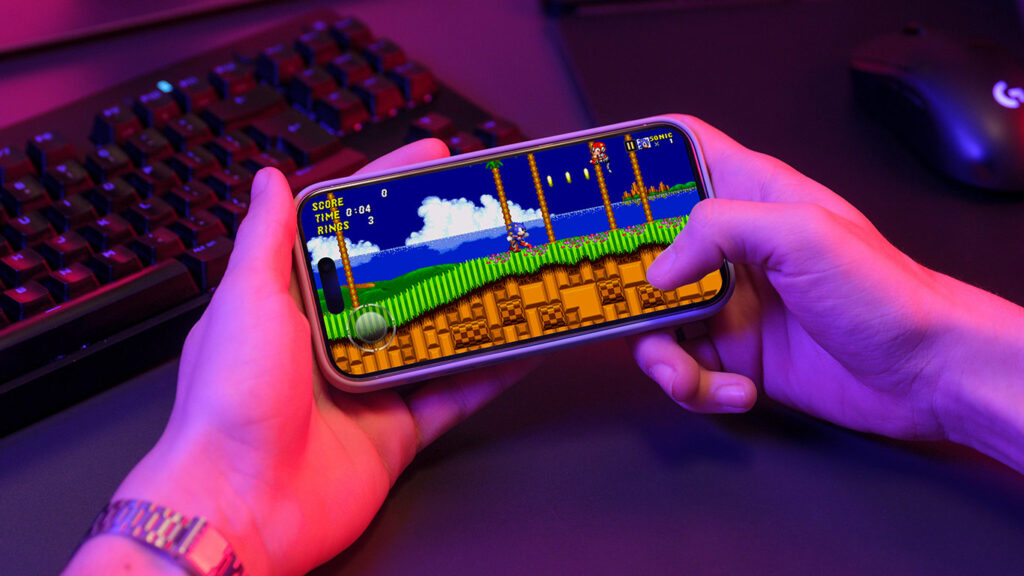


Think games aren’t as good as they used to be? Miss being bathed in the warm glow of a CRT display that beamed pixelated sprites into your very soul? With the right tips, apps and gear, you can relive childhood favorites and discover modern gems that have a similar vibe – all on your iPhone and iPad.
Get started

RetroArch: powerful. Also: fiddly.
Pick your battles: Emulators can be fiddly. If you don’t fancy hunting down ROMs and tweaking settings, stick with plug-and-play apps instead of tearing your hair out trying to boot some random C64 relic.
Use a controller: Slippy touchscreens are fine for modern fare but less so for twitchy and demanding classics. Most emulators offer virtual buttons, but you’ll have a far better time with a physical controller.
Try Safari: Apple finally lifted its emulator ban in 2024, but not before web-based solutions had taken root. webRcade is our top pick – but it needs a controller. Afterplay doesn’t and is also worth a look.

Pico-8: a ‘fantasy console’ that never existed in the real world.
Explore Pico-8: Instead of recreating old consoles, Pico-8 imagines a new one – of suitably limited means. You can play thousands of free Pico-8 titles in a browser, many of which remake classic games.
Moderate expectations: That game you once loved might not hold up. Or it might be your reflexes. Also, iOS restrictions limit which classic platforms even the most powerful iPhones and iPads can run. So go into emulation on Apple kit with an open mind.
Be choosy: Hardcore retro heads sometimes hoard entire libraries of ROMs. Don’t. Curate your own list of personal greats or you’ll spend all your time managing files and scrolling instead of playing.
Buy old games: Emulation often lives in a legal gray zone regarding rights and format-shifting. So when publishers make classics available, do the right thing and support them. Sometimes you’ll even get ROMs to drop straight into an emulator.
Download these apps


Antstream: retro games on tap.
Antstream (free or $40 per year): The Netflix of retro games streams titles – no setup required. It also adds extras like tournaments and challenge modes to breathe new life into arcade classics.
Delta (free): The iPhone emulator that shook things up is still best-in-class for Nintendo systems and offers stellar HDMI output support.
ArcadeMania (free): Nearly as slick as Delta, with its refined interface and smart external display support, this emulator is geared towards getting vintage arcade titles running on your iPhone and iPad.
RetroArch (free): This one’s less friendly than other emulators but is also hugely powerful and supports dozens of systems. A good bet if you’ve time to tinker.
Note: Delta, ArcadeMania and RetroArch do not come with preinstalled games – you’ll need to source and import your own ROMs/disk images.

Drop Wizard marries classic gameplay and modern controls.
Space Invaders ($5/£5): This veteran arcade blaster feels right at home on iPhone, with touchscreen-friendly controls. For something more modern, try eye-popping sequel Infinity Gene EVO on Apple Arcade.
Pac-Man 256 (free + IAP): The original Pac-Man vanished from the App Store in May 2025, but this endless remix lives on and is available on Apple Arcade too.
Captain Cowboy (free): This love letter to old-school games fuses the block-falling mechanics of the seminal Boulder Dash with a sprawling map and CRT-filter goodness.
Drop Wizard ($3/£3): Rather than fight the touchscreen, this single-screen platform game embraces it, combining action that recalls Bubble Bobble and Tumblepop with mobile-friendly two-thumb endless running.
Connect this hardware


GameSir G8 Galileo ($80/£80): This controller (pictured above) has the feel of a console gamepad and stretches to fit (and is powered by) any USB-C iPhone. It even throws in a headphone port for additional old-school vibes.
Backbone Pro ($170/£170): This option one-ups rivals by adding Bluetooth support, making it the one controller to rule them all. Don’t need wireless? Try the cheaper – and more portable – Backbone One.
Anker HDMI adapter (from $17/£17): Actually, any HDMI adapter will do to get games on your TV. But Anker gear is reliable. Consider the all-in-one USB-C to HDMI cable or a full hub for more connectivity.
Apple TV 4K (from $129/£149): Hate wires? Beam your games to the big screen TV via AirPlay and a connected Apple TV. You’ll get a touch more lag than with HDMI, but most players won’t notice.