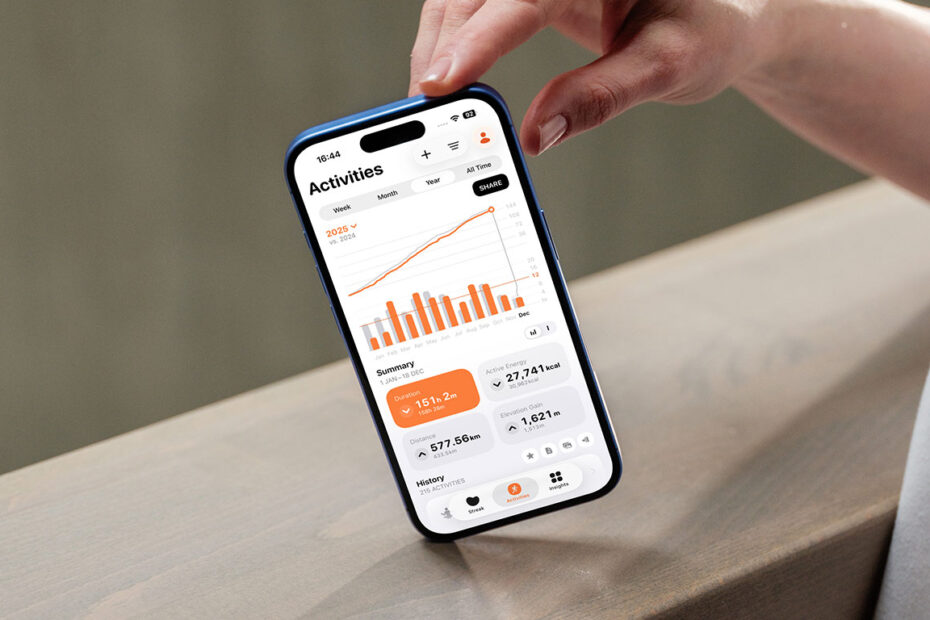

In this series, we dig into an app we think you should be using, and explain what it is, why it’s great, and how to get started. This time, we’re looking at fitness insights app Gentler Streak.

What is Gentler Streak?
A workout tracker that provides fitness insights and practical guidance. It draws from on-device health data to build a picture of your progress over time, and then uses that information to suggest what you should (or shouldn’t) do next.
What makes Gentler Streak great?
For years, Apple’s approach in this space felt rigid and robotic. To some extent, it still is. Gentler Streak has long been the polar opposite, emphasizing personal progress and friendly encouragement over arbitrary targets to help you build habits that last.
How can I get started with Gentler Streak?
The tips below assume you’ve installed the app and completed initial setup, including granting access to your health data.
Check where you’re at: Tap the Streak tab and Gentler Streak will outline how it thinks you should tackle the day’s activity (including when you should rest), alongside a bar showing where you currently sit within your personalized training zone. Aim to stay within the central green area for sustainable progress.

View your path: Premium users can tap the menu to the right of their name and select 10 Days to view the Activity Path. This visualizes how your workouts have trended over recent days. The same menu also lets you switch to a 30-day view or the same ‘Daily Condition’ view as in the free version.
Get a sneak peek: With an Activity Path active, drag the entire graph to the left. You’ll see a prediction of where your path will land over the next four days if you rest rather than doing further workouts.
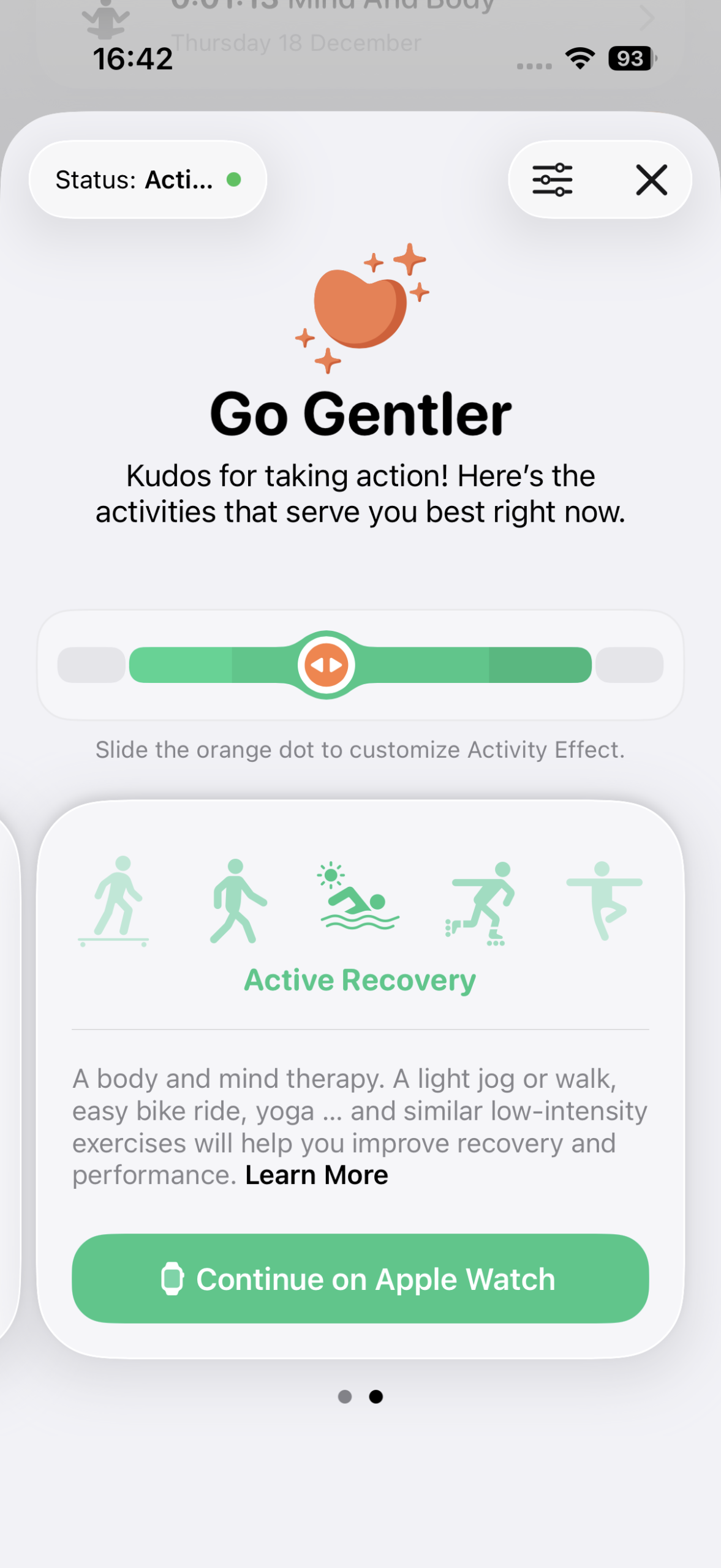
Get recommendations: Scroll down to Today’s Recommendations. Premium users can tap these to explore optimal steps for the day – and how they will change their position within the training zone. Drag the slider to customize a suggestion, which extends or reduces the proposed workout.
Take a break: Tap the profile button at the top-right and choose Activity Status. Here, you can tell Gentler Streak you’re on a break, unwell, or injured, and it will adjust your streak accordingly. This is also a premium feature – although arguably the one that shouldn’t be.
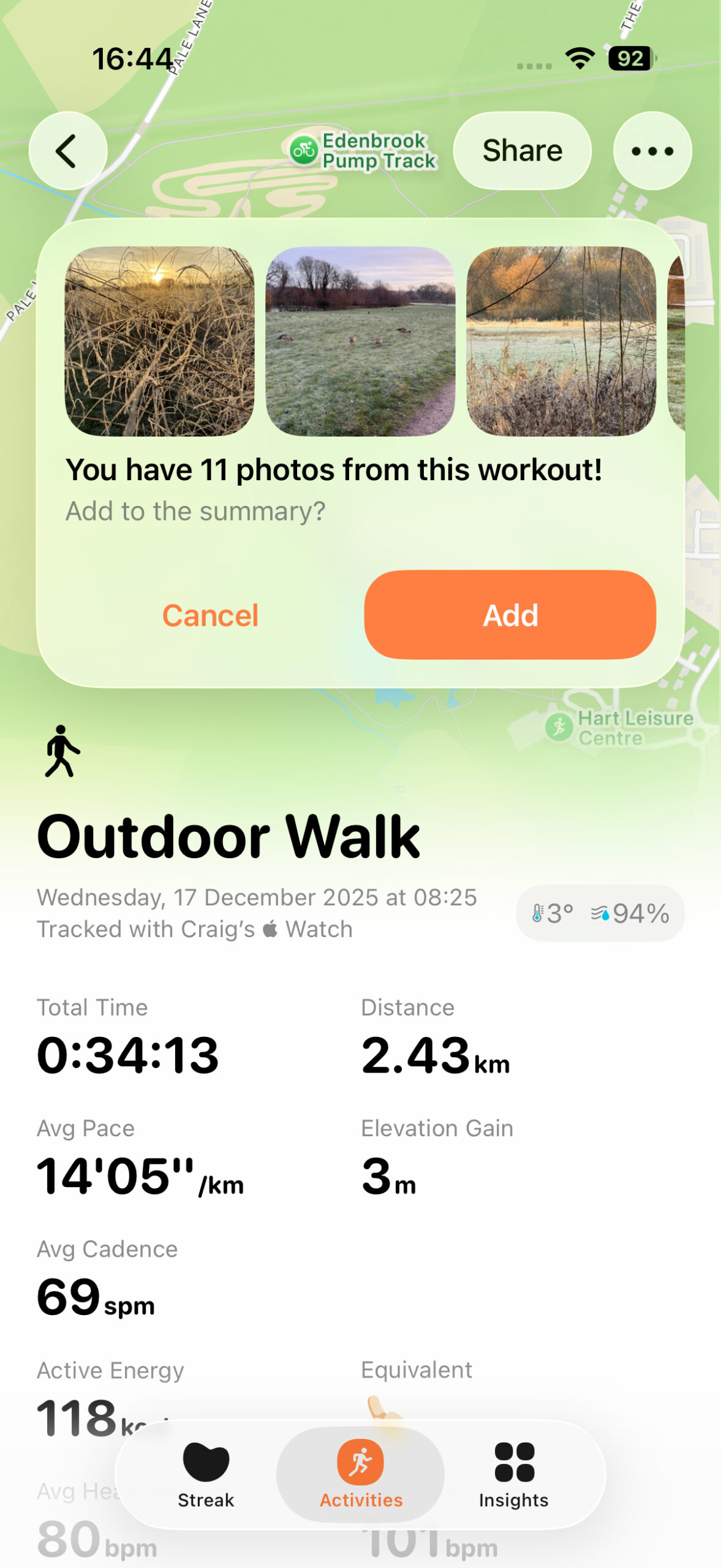
View an activity: Tap an item under Past Activities at the bottom of the Streak tab or under History in the Activities tab. You’ll see detailed workout information, including key metrics, splits, charts, perceived exertion (adjustable with premium) and, where relevant, maps.
Edit an activity: For free, you can rename activities. With premium, you can flag entries as favorites, add written notes, and attach photos. When Gentler Streak finds relevant snaps in your library, it will offer to add them for you. These appear discreetly at the side of the activity view until tapped.
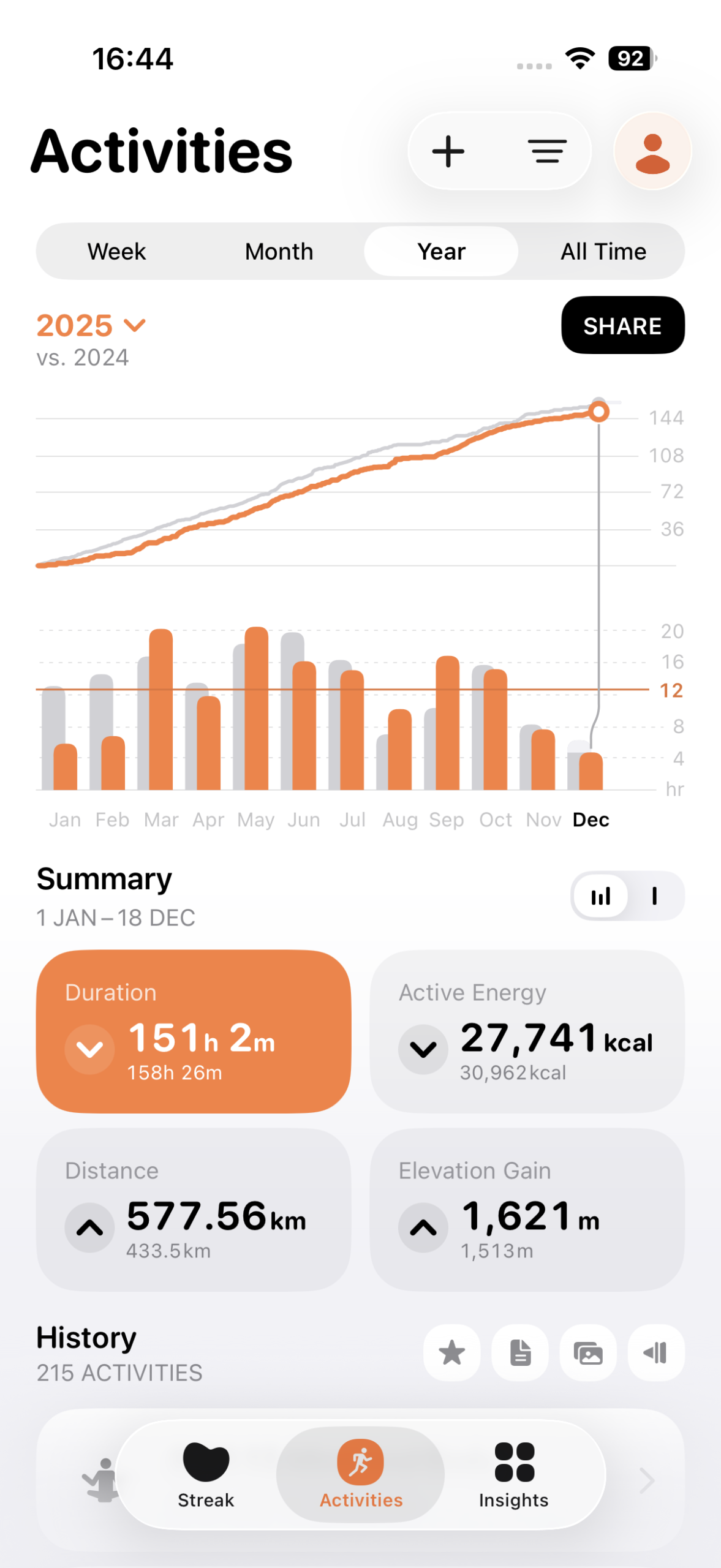
Explore trends: Back in the Activities tab, you’ll initially see a workout duration graph for the current week, comparing progress to the previous week. Summaries below let you switch the graph to show active energy, distance, or elevation gain instead. Each large button includes an arrow indicating whether you’re trending up or down week-on-week. Premium users can also explore month, year, and all-time views.
Filter trends: Tap the filter button next to the profile button to have the graph show specific activities, for example to compare this month’s cycling against last month’s. The History list can also be filtered by entries that include specific data, such as photos.

View insights: Select the Insights tab and tap one of the panels for a friendly, visual summary of that period. Premium accounts have access to a deeper history, but even free users get a full Activity Path in the monthly recap, alongside distance totals and a breakdown of time spent in each heart-rate zone.
Personalize the app: Tap the profile button and head to Personalize to adjust heart rate zones, units, and visuals such as the app’s character graphics and icon.

Keep stats close: Add Home Screen widgets to keep motivation, key metrics, and a button for your optimal daily action within easy reach. If you own an Apple Watch, install Gentler Streak on it for fast access to your daily condition and the ability to start workouts. And when you do start one, open the app on your iPhone and you can mirror it, which includes Live Activity support in Dynamic Island.
Visit the Gentler Streak website or get Gentler Streak (free + IAP) from the App Store. Premium costs $8/£8 per month, $55/£55 per year, or $180/£180 lifetime (which you can share with up to five family members). A one-week free trial for premium is available.