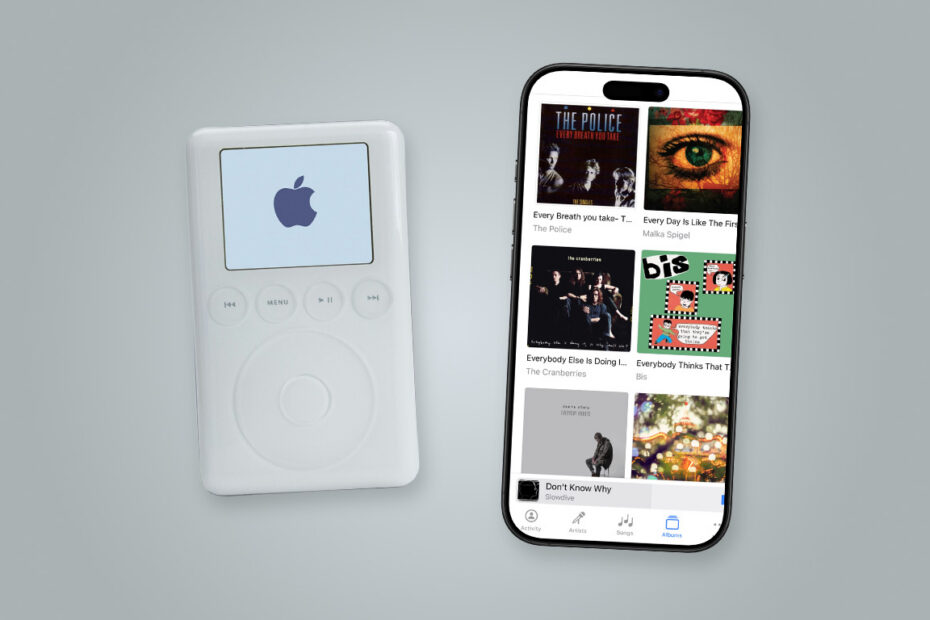

For the longest time, I wasn’t nostalgic about the format my music came on. I couldn’t wait to get rid of cassettes. Sure, they were affordable, ideal for making personalized mixes, and the first format that made chunks of your music collection genuinely portable so that you could listen anywhere. But they got eaten by players with alarming regularity and, even at their best, didn’t sound great.
CDs were a huge step up. They were durable, sounded great, and let you quickly skip tracks, rather than laboriously fast-forwarding and rewinding. But then digital arrived and changed everything. Napster showed people how convenient digital music could be – although its flavor of peer-to-peer piracy was soon stopped by lawyers. But then Apple’s iPod and iTunes Store captured the mainstream, putting thousands of songs in your pocket while offering a legal place to buy them.
More recently, though, there’s been another shift. Most of us now rent our music rather than own it. Artists often see less money as a result. And the devices we use are constantly trying to steal our attention. These concerns perhaps explain why iPods are making a surprise comeback. But while they may be the hot “new thing” with teens and 20-somethings (despite Apple having not sold one itself in years), I’m not convinced they are the answer.
Pod people
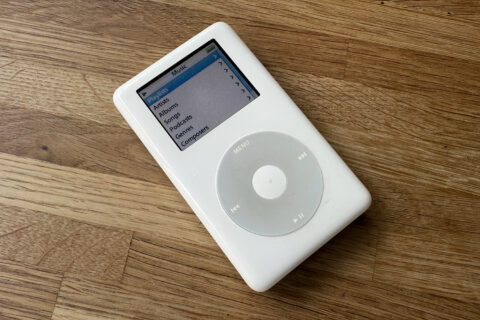
My old iPod, wrenched out of retirement.
I still own several iPods and recently wrote about whether this kind of hardware was still relevant and usable. I explored how best to use an iPod today, and looked into the thriving modding community that allows you to take the bones of an old iPod and breathe new life into the device.
If you have the time and inclination, using an iPod can be rewarding. Many models still work happily with modern PCs and Macs. Replacement firmware can make adding songs easier while bringing useful new features to a device. And, most importantly, an iPod only does one thing. It won’t lure you into doomscrolling halfway through an album or tempt you to spend time endlessly browsing what’s new on a streaming service rather than savoring your own personal collection of albums.
However, there are catches. Second-hand iPods often need replacement parts, which don’t come cheap. Boxed iPods aren’t necessarily better, because years sitting unused may have killed the battery. You’ll also need a PC or Mac to get music onto the things – and a CD drive if you intend to “rip” CDs you own to digital files an iPod can use.
You could instead buy a non-Apple player. Some add luxuries the iPod never had, such as Bluetooth and microSD expansion. But really cheap iPod wannabes tend to be disappointing, and the better models doing their own thing often cost hundreds. At that point, you may question why you’re paying so much for another device when you already have an iPhone in your pocket.
Listen up
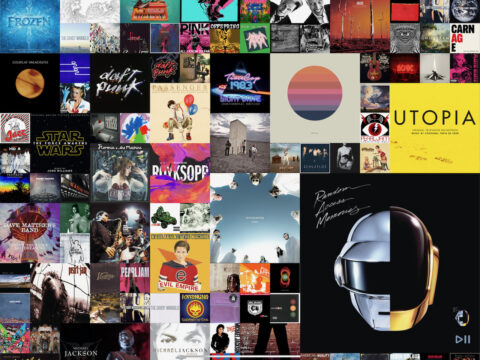
Longplay displays your music as a grid of albums.
The thing is, most people don’t miss the iPod. They miss what it represented: owning music, listening without interruption, and revisiting favorite albums. Your iPhone can do all of that too – it’s just a case of giving it (and yourself) a sense of focus.
If years of Apple Music and Spotify have left you uneasy about not owning music, start buying it again. Purchases made through the iTunes Store app will appear in your Music library – and be accessible to third-party apps that use it. Or there’s Bandcamp, which is much-loved by independent artists, since they receive a larger share of each purchase. Many also sell physical media, which you can grab as a keepsake, even if you no longer own anything that can play it.
Software matters too. Apple’s Music app increasingly pushes discovery and recommendations. But when you want to enjoy your existing collection, there are better options. Longplay ($8/£7) displays your Apple Music library as a wall of artwork and encourages you to play entire albums. Cs Music Pro ($3/£3) recalls the Music app from simpler times, focusing squarely on your library. And Doppler (free + IAP) imports songs bought from anywhere – and all major formats.
Music first
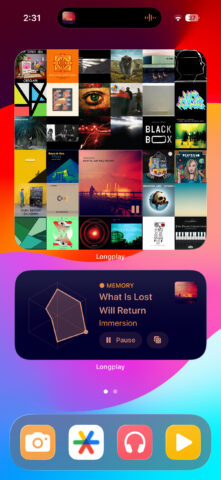
My iPhone “Music” Focus.
Finally, you can remove distractions in other ways, by making your iPhone more like a single-use device during those times you’d like dedicated to music. Create a new Focus mode for listening, which silences all notifications and switches to a pared-back Home Screen that contains widgets for your preferred music apps.
You can pair that with Shortcuts that switch focus, start playlists, or send commands – such as play/pause for Longplay. Shortcuts can also be assigned to the Action button, giving you a way to interact with your music that feels more like things were in the old days. Or you could use the Action button to provide fast access to several music apps and commands within a menu, much like I recently did for photography.
None of this is quite the same as using that famous click wheel. But it captures enough of what made the iPod special while also rolling in things that are great about modern technology. So rather than following the trends and buying yesterday’s hardware, spend a little more time making what you own today the best of old and new.