

Most people don’t need a traditional scanner. Your iPhone’s camera can effortlessly digitize documents. But while there are great apps for scanning sheets of paper, this roundup focuses on specialist tools. These are built to capture specific – but useful – things like photos, books, and even food, pulling relevant information neatly into your iPhone.
Scan photos with Photo Scanner Plus ($2/£2)
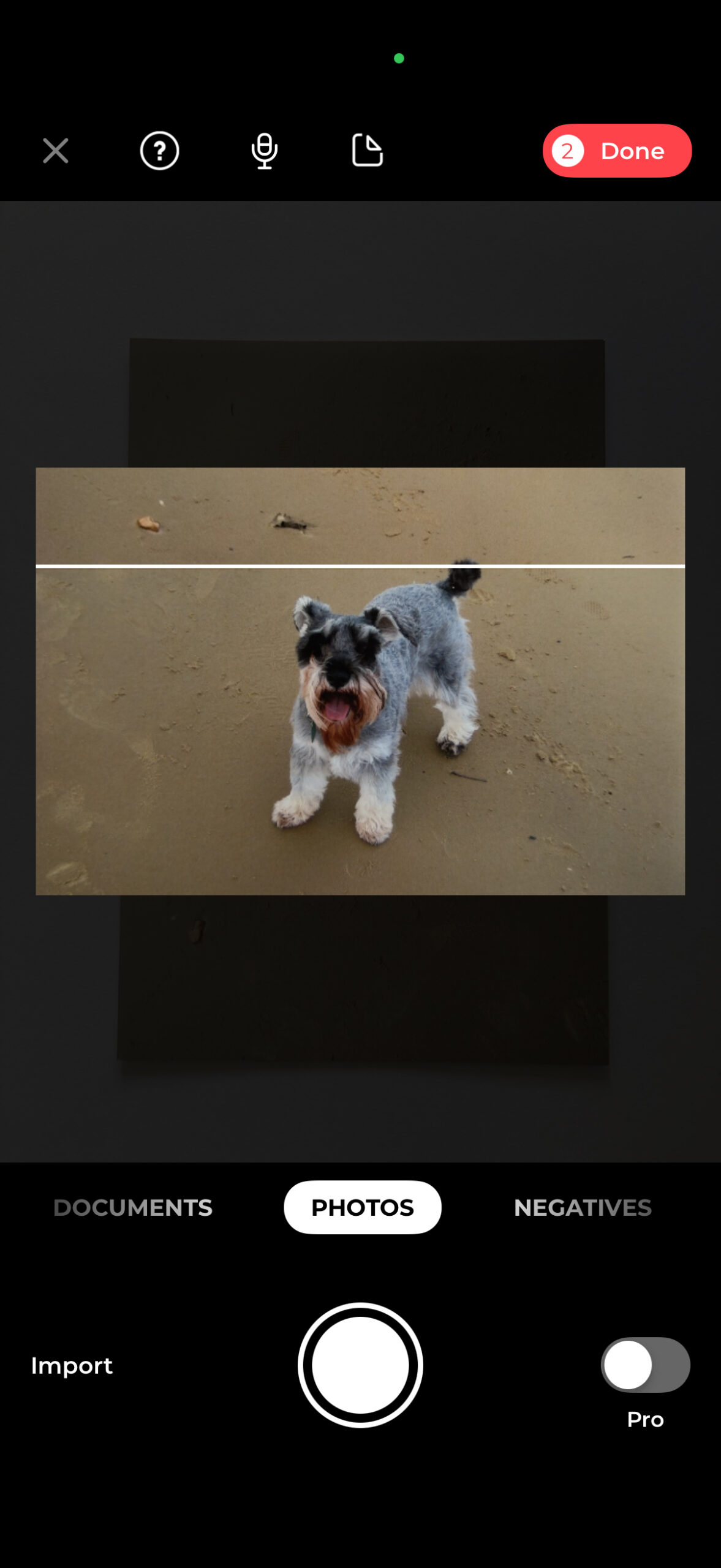
There’s a freemium take on this app, but honestly, just spend the two bucks. Fire up Photo Scanner Plus and you can quickly digitize photos from physical albums, which are automatically rotated and cropped. The resulting digital images can be shared in high resolution – something the free version restricts.
Although the app can capture multiple photos at once, you’ll get better results by scanning one at a time. Also, do experiment with the settings: color correction and AI tweaks can make things worse. Turn them both off for more natural results.
Alternatively: PhotoScan by Google Photos (free) tackles glare by stitching multiple shots together. Results look pleasingly retro – though not always true to the originals.
Scan business cards with ScanBizCards ($1/£1)

Example card: JH French & Co
Most document scanners can handle business cards, but few deal well with extracted information. Worse, many dedicated business card scanners demand a subscription, presumably assuming you head up a multinational corporation. ScanBizCards is therefore a breath of fresh air.
The interface is crude, but the app nails the important stuff. You can quickly scan cards and peruse images and extracted details. But the best bit is being able to send info to Contacts with a single tap. Unsure? Try the free version.
Scan books with CamScanner (free + IAP)
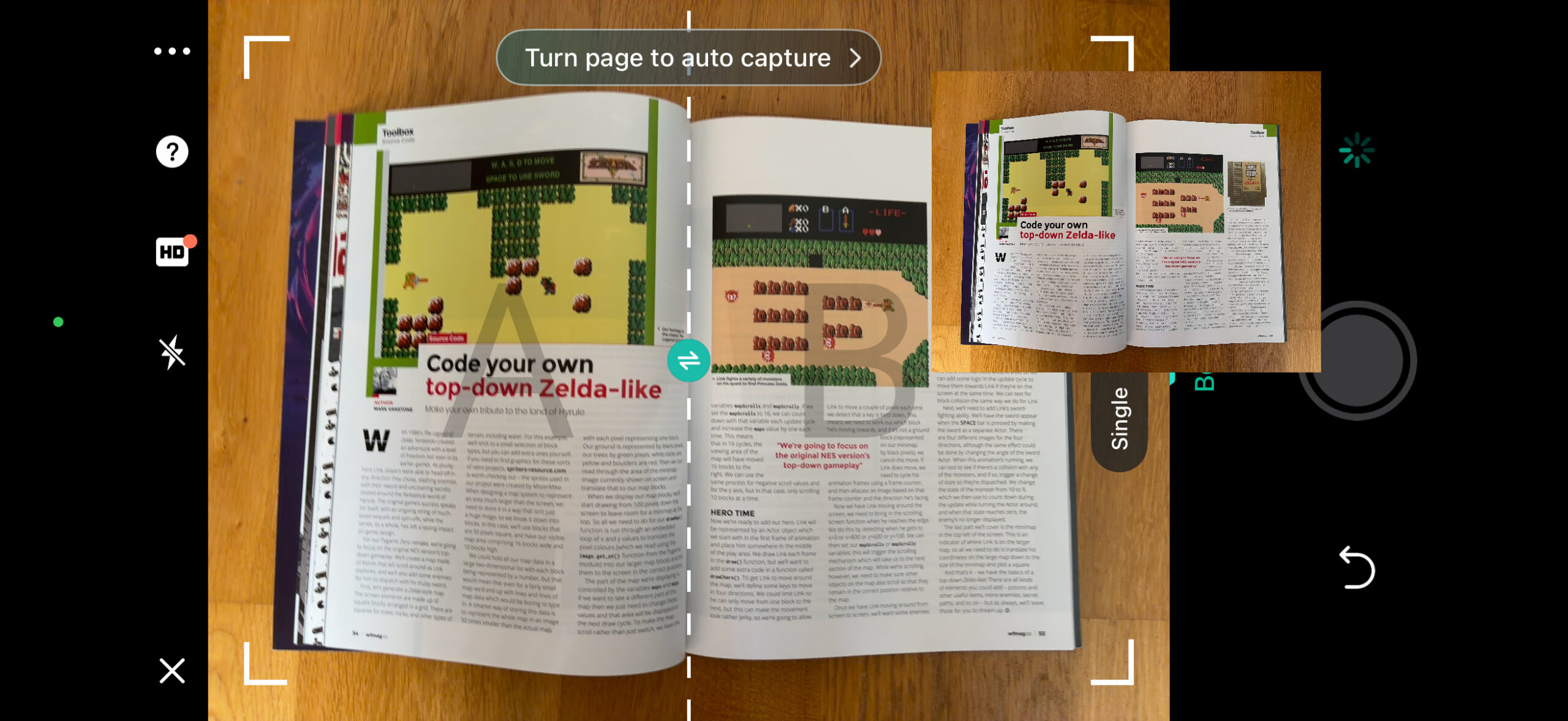
If a digital edition of a book or magazine exists, just buy it. Scanning paper publications is slow and fiddly. But you might not have a choice if what you want is unavailable online. If that’s the case, try CamScanner.
This app scans all kinds of documents, but there’s a mode specifically for double-page spreads. Capture several in a row and the app will separate each page and send them all to an album. The main downside is being limited to 10 daily uses. If your needs are greater, you’ll need to splash out $60/£59 per year.
Alternatively: vFlat Scan is focused on books and lacks CamScanner’s versatility, but simpler and cheaper pricing makes it palatable – $3/£3 per month of unlimited use.
Scan media with… loads of tracker apps (from free)

Book Tracker.
This one’s a bit of a cheat, but there’s little point padding out this roundup with near-identical entries. So, in short, there are plenty of apps that let you scan barcodes to catalog physical media collections, whether that’s books, music, movies, or games.
Each app linked below lets you track your backlog and loans, and also rate your favorites. Great stuff, then, to avoid buying duplicates, and to have a handy overview when it’s time to trim your collection.
Get Book Tracker, Music Tracker, iCollect Movies and Gamery – all free + IAP
Scan meals with MyFitnessPal (free + IAP)

Whether you’re tracking calories, managing allergies, or just trying to be more mindful regarding food, MyFitnessPal has you covered. You scan barcodes of packaged food and take photos of entire meals.
The app won’t blindly trust its own guesses and so you’ll need to confirm all the details. After that, you’ll have a daily log of what you’ve taken in. As a scanner alone, the $20/£16 per month or $99/£65 per year subscription is overkill. But if the rest of the package is a good fit for you, take a look.
Scan Lego minifigs with Minifig Scan (free + IAP)
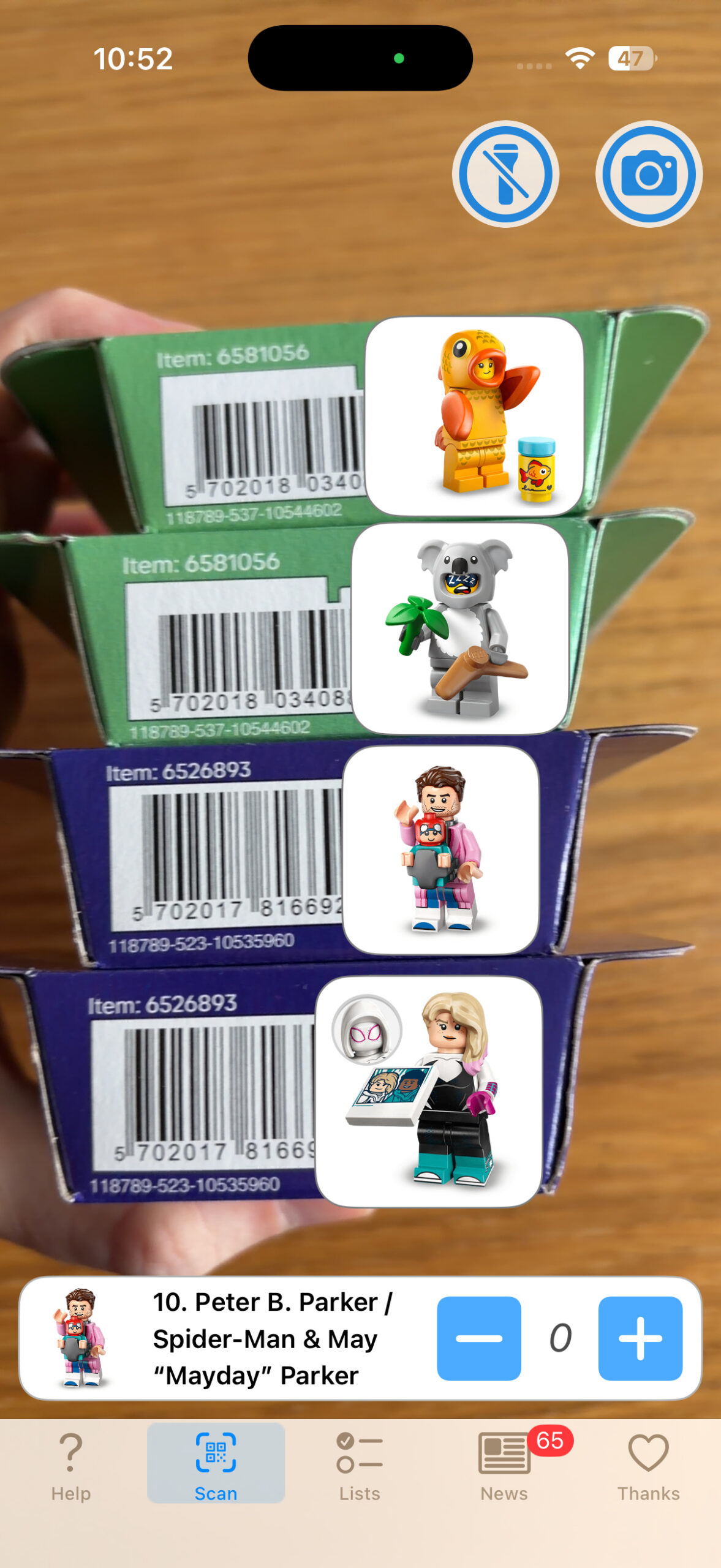
In 2010, Lego unleashed its first series of collectable minifigs. These were sold in blind bags, making every purchase a gamble. Some people got good at feeling the contents; others just ended up with five of the same character.
Minifig Scan removes the guesswork. Modern sets include QR codes the app can read to reveal what’s inside when you don’t want to be surprised. You can also log your collection to track your progress, whether you’re aiming for a full set of the latest series or an army of minifigs dressed as koalas.
Get Minifig Scan
Alternatively: Brick Collector is a scanner for your entire Lego stash. Scan barcodes to build a virtual inventory, and learn to your horror just how many tiny plastic pieces have taken over your home.