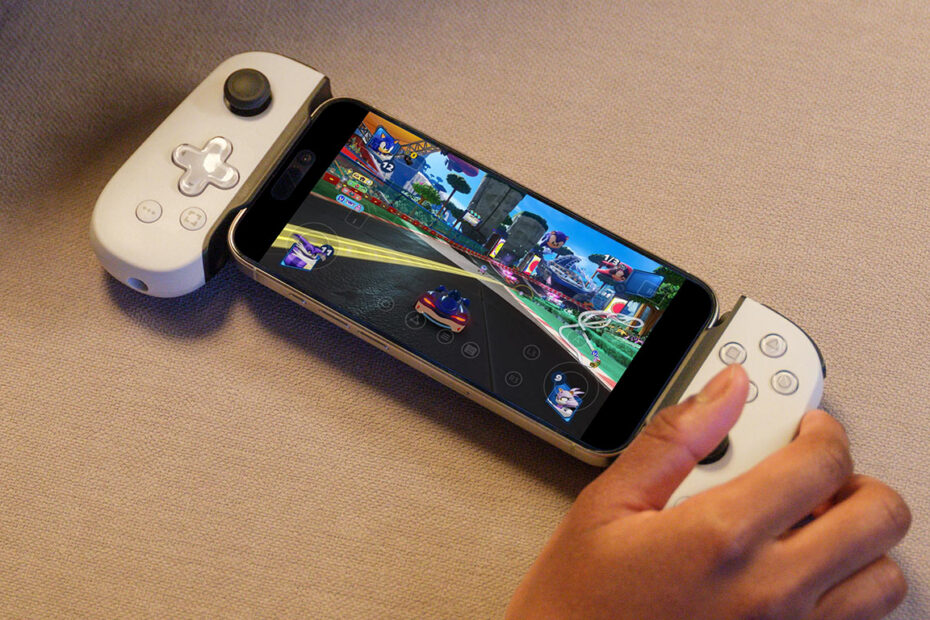

We’re starting to see more big-budget “AAA” console and PC games arrive on iPhone. It’s an impressive showcase for Apple’s hardware, but an iPhone being powerful enough to run such games is only half the story. These titles tend to be expensive, get trimmed for mobile, arrive years after the originals, and gobble up storage space.
Game streaming sidesteps all that. Instead of installing games on your phone, they run on remote servers or a local computer and are streamed to your screen – a bit like how Netflix works with TV. The result is near-instant access to high-end games – and far less strain on your iPhone.
This roundup aims to get you started by highlighting five standout services that each offer something distinct, along with a few handy tips.
What to sort before you start streaming

Don’t use virtual controls for console and PC games.
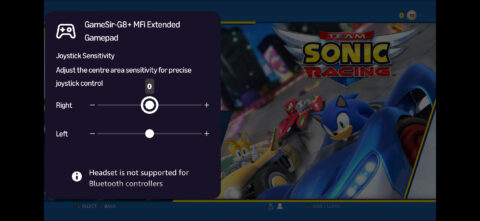
Use a controller: Many services offer touch controls, but they’re rarely ideal for complex console-style games. A traditional controller feels more natural. My pick is the GameSir G8 Plus MFi ($80/£80), while the X5 Lite ($35/£35) is a solid budget alternative.
Check your connection: Streaming lives or dies on your internet speed. A strong, stable connection is vital for optimal performance. If yours struggles, expect dips in video quality and responsiveness. Also, if you get connection errors, try temporarily disabling iCloud Private Relay.
Use trials: Most services offer free trials. Use them to test games and see if the selection clicks with you, explore how well the service holds up at different times of day, and check everything works smoothly with your setup.
Pay monthly: Annual plans can save money, but flexibility matters, especially early on. I’d recommend paying monthly at first, so you can hop between services – or stop streaming entirely – rather than making a big up-front commitment.
Let saves sync: Cloud saves aren’t always instant. So give a game the chance to sync before closing it – and the app it’s running in – or you’ll risk losing your progress.
The best game streaming options for iPhone
Xbox Cloud Gaming ($10–23/£7–17 per month, $1/£1 trial)
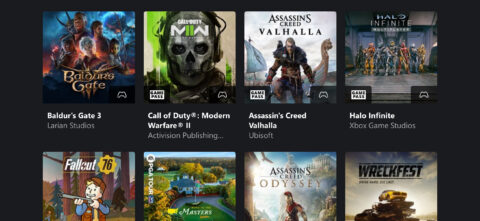
I mentioned Netflix earlier, and this service is the closest thing to “Netflix for games”. It features a rotating library of console and PC titles across three different paid tiers, all of which are playable on your iPhone via a simple web app.

The catalog is strong and varied – not overly casual, but still accessible if you’re curious and committed. Setup is effortless, multiplayer options are provided, and you can buy games outright and stream those too – ideal when you find a title you don’t want to lose. This one’s a great all-round starting point.
Amazon Luna (free with Prime or $10/£9 per month, 7-day trial)
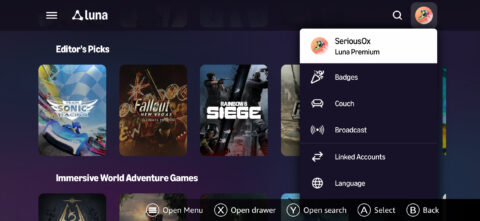
Amazon recently refined Luna into a self-contained service, ditching links to other services and stores. That kind of works in its favor, bringing Luna simplicity and focus that makes it a stronger competitor to Xbox Cloud Gaming. It also has one other key advantage: Prime subscribers get Luna Standard for free.
Paying unlocks a broader range of games, but both tiers have plenty of quality. I also like how Amazon leans into sofa-friendly social play via a GameNight selection. And I found the interface slick and the streaming reliable. If you’re already on Prime, you’ve nothing to lose. Even if not, Luna comes recommended.
Antstream Arcade ($4 per month/$40 per year, 7-day trial)
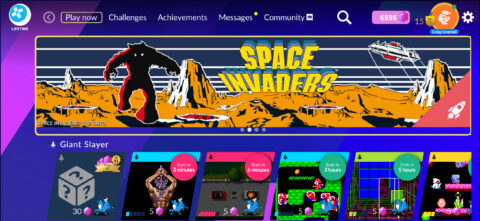
Streaming retro games might sound odd. After all, ancient games have file sizes smaller than the average JPEG, and so streaming them might seem unnecessary, especially now that emulators are on the App Store. But Antstream makes a strong case for itself.

It’s hassle-free, fully licensed, priced well, and provides access to a slew of classic arcade and home console/micro games. But the real hook for me is how it reframes classic titles: Antstream is packed with challenges that give old games a fresh twist, such as tackling Space Invaders with a single life or seeing how many points you can rack up in 60 seconds.
GeForce NOW (free–$20/£20 per month or $200/£200 per year)

Rather than offer a library of games, GeForce NOW lets you stream those you already own. It’s not exhaustive, but you can draw from Ubisoft, Battle.net, Epic Games, Steam, and Xbox. Thousands of games are supported, although quite a few require you to subscribe to a paid tier.

It’s powerful and convenient if you’ve built up a collection, but less seamless than the previously mentioned services. I found setup fiddly, and disliked the queues and ads when wanting to play using the free tier. Still, if you prefer owning games to renting them, and are keen to play your collection anywhere, it’s a compelling option.
Steam Link (free)
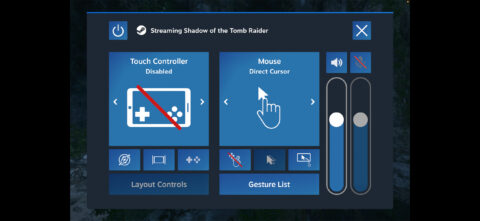
This final entry keeps everything at home. It streams games directly from your PC or Mac over your local network, rather than the internet. I found setting things up simple and that most games played flawlessly. However, Mac users should note Steam Link isn’t magic – it won’t suddenly make Windows-only fare viable on their machines.

Elsewhere, I found the interface less polished than Xbox Cloud Gaming or Amazon Luna. It is, effectively, mirroring your computer’s display to the iPhone, mouse cursor and all. Still, it’s a great way to play Steam games without lugging a laptop around – or, worse, having to hole up in whatever room a desktop machine is in.