Last year’s iOS overhaul was a lot: loads of new features to dig into, plus a controversial Liquid Glass redesign, and plenty of rough edges. So with this year’s iOS 27 update, Apple taking a breather to focus on speed, stability, and fixing the things that annoyed everyone in iOS 26.
That doesn’t mean there’s nothing new, though, with some interesting additions plus the headline act of an all-new super-powered Siri. If you missed the keynote, here’s your guide to everything to expect from iOS 27 (and iPadOS 27) when it lands later this year.
Undoing last year’s mistakes
Last year’s Liquid Glass look split the room, and Apple – for once – has taken the criticism on board. There’s now a slider to dial the effect anywhere from fully clear to fully tinted, so there should be a sweet spot to keep everybody happy. Apple’s also tuned the readability, contrast, and refraction, so text is easier to make out against busy backgrounds.
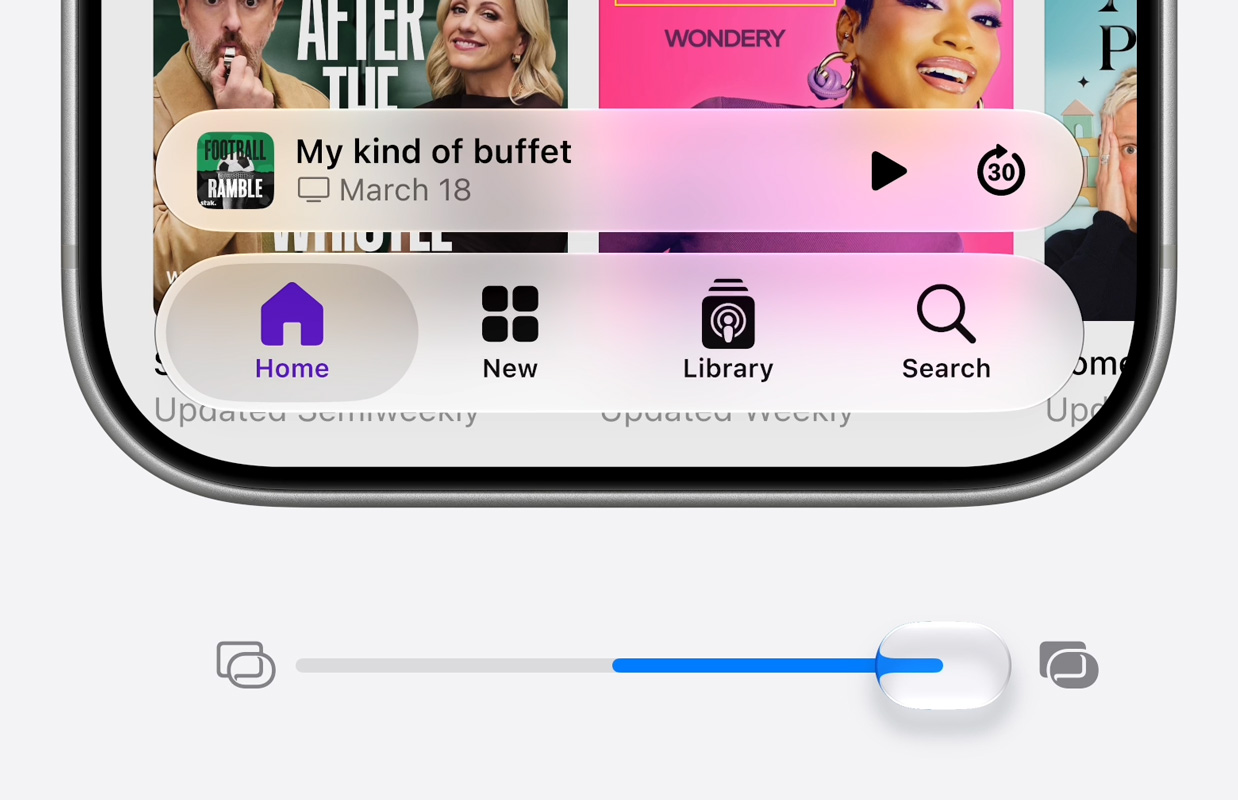
Apple is also hitting undo on many other details from last year’s redesign. App icons look sharper now, with only some elements catching the light rather than the whole thing resembling wet glass. Toolbars are back in a few apps too, anchoring those easy-to-miss floating buttons, while needlessly rounded corners and chunky sidebars have been tidied up.
Faster across the board
This is something that won’t make headlines, but should make everyday use much snappier. Apps launch faster, AirDrop and external drive transfers are quicker, and photos land in your library faster – Apple reckons that annoying pop-in lag when you open Photos right after a shot is around 70% faster. There’s a long list of behind-the-scenes efficiency work too, all aimed at making everything feel more responsive.
Spotlight and system-wide search get a more powerful index too, so finding apps, messages, and files should be faster and more accurate. Same in Photos and Mail too. The catch: the reindexing happens quietly in the background after you update, so you might not feel the difference right away.
Better signal smarts
Your iPhone is now cleverer about juggling Wi-Fi and cellular, handling weak signal more gracefully instead of clinging to a dead connection. Apple’s also improved overall network performance – the kind of unglamorous fix you only notice when it stops being a problem.
Realistic street view details in Maps
Flyover gets a visual upgrade, with aerial imagery and Visual Intelligence models adding far more detail – right down to individual architectural features and trees. It’s the sort of thing that’s lovely to show off and easy to forget exists.

Video podcasts you can watch or listen to
Podcasts gets a tidier setup for video shows, making it easier to flip between watching and just listening. A small change, but a sensible one as more podcasts go video-first.
Tighter, easier parental controls
Child accounts are the foundation of Apple’s parental controls, and setting one up is now more straightforward, with age-appropriate safeguards switched on across the system from the off.
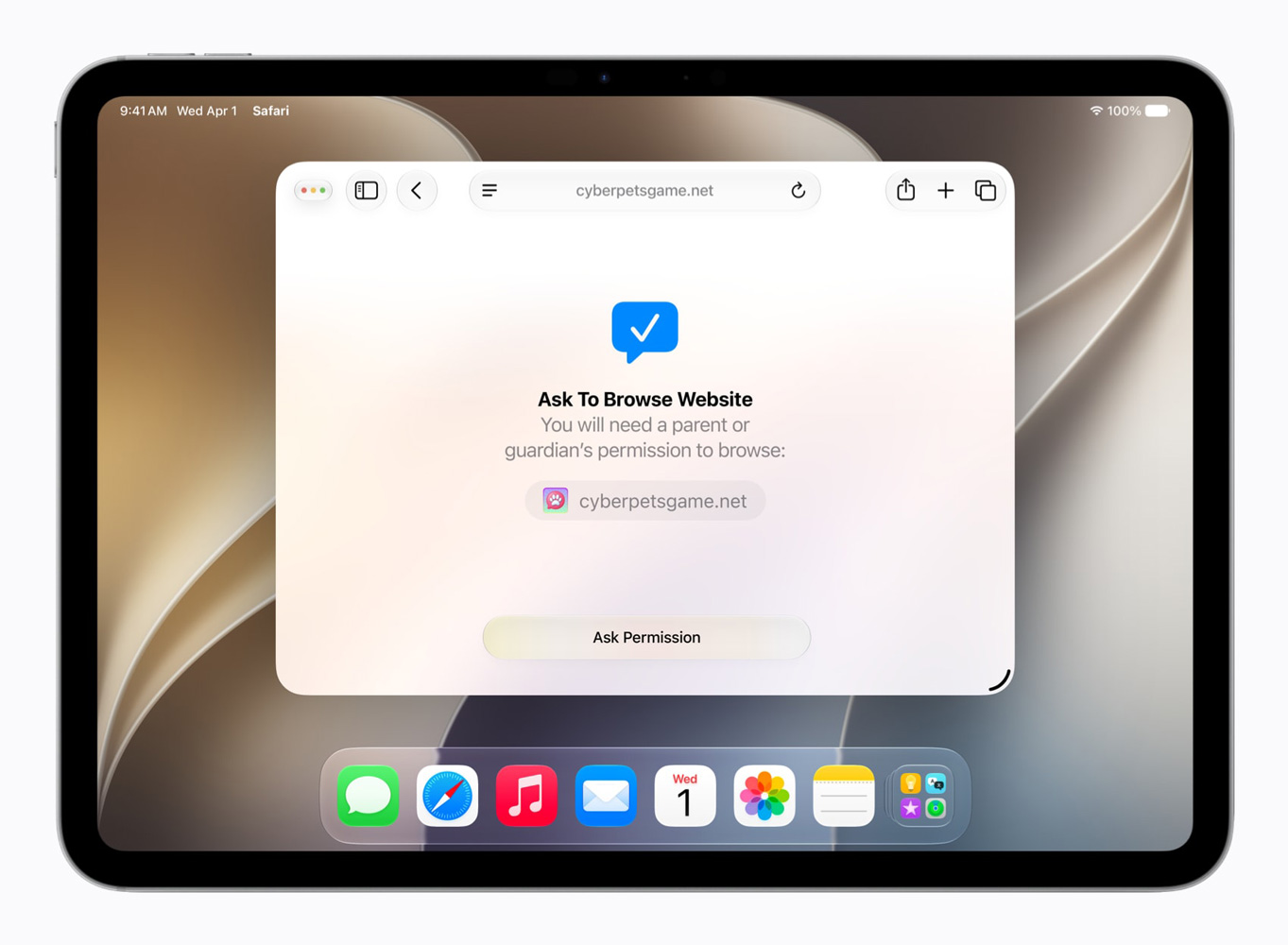
The existing Ask to Buy system – where kids need a parent’s approval to download apps – now extends to the web. With Ask to Browse, children have to request permission before visiting a new website, and parents can approve or decline straight from Messages. Same deal for chatting with new contacts.
Communication Safety, which already blurs nudity in Messages and FaceTime and is on by default for under-18s, will now also step in before kids see gore or violent content in shared images and videos.
A big refresh for Screen Time
Screen Time itself has been redesigned, with an at-a-glance view of average usage and most-used apps. Parents can limit or extend access on the fly – useful for protecting family meals, or granting five more minutes when it’s actually warranted.
A new section called Time Allowances lets parents set limits by category – Entertainment, Games, Social Media, and so on – rather than app by app. The starting recommendations are based on a child’s age and expert guidance, but you’re free to adjust them to whatever you think is right.

Parents can also set schedules controlling which apps are available at different times of day or days of the week. Handy for keeping the focus on schoolwork during the week and loosening the reins at weekends.
Oh, and Siri finally got rebuilt
This is the big one. Apple has rebuilt Siri from the ground up around AI – now called Siri AI – making it far more conversational and genuinely useful, with a stack of new Apple Intelligence features riding alongside it across Photos, Safari, Messages, and more. There’s far too much to cover here, so we’ve put it all in a separate guide: everything new with Apple Intelligence and Siri AI.
Will your iPhone run it?
iOS 27 supports every iPhone back to the iPhone 11 – the same lineup as last year, which is impressive longevity. The Apple Intelligence and Siri AI features need newer hardware, though: an iPhone 15 Pro, or any iPhone 16 or 17. And the most advanced bits, like the customizable Siri voices, are limited to the very latest phones – the iPhone Air, iPhone 17 Pro, and 17 Pro Max. That’s a kick in the teeth to those who bought a 16 Pro or 17 expecting them to keep up with the latest features.
One regional wrinkle: thanks to the EU’s Digital Markets Act, Siri AI won’t launch on iPhone or iPad in the EU at first, though Mac, Apple Watch, and Vision Pro users there still get it. It’s also off the table in China for now. UK readers, you’re fine – you’ll get the lot.
How to try the iOS 27 beta
iOS 27 won’t be released in full until September – likely around the second week, if Apple sticks to its usual pattern. Developers can already grab the beta, and Apple’s public beta program goes live in July for anyone who wants an early look. It’s free to sign up, but be warned: pre-release software is buggy, battery life takes a hit, and you’ll want to back up your device first. For most people, waiting for the finished version this fall is the smart move.