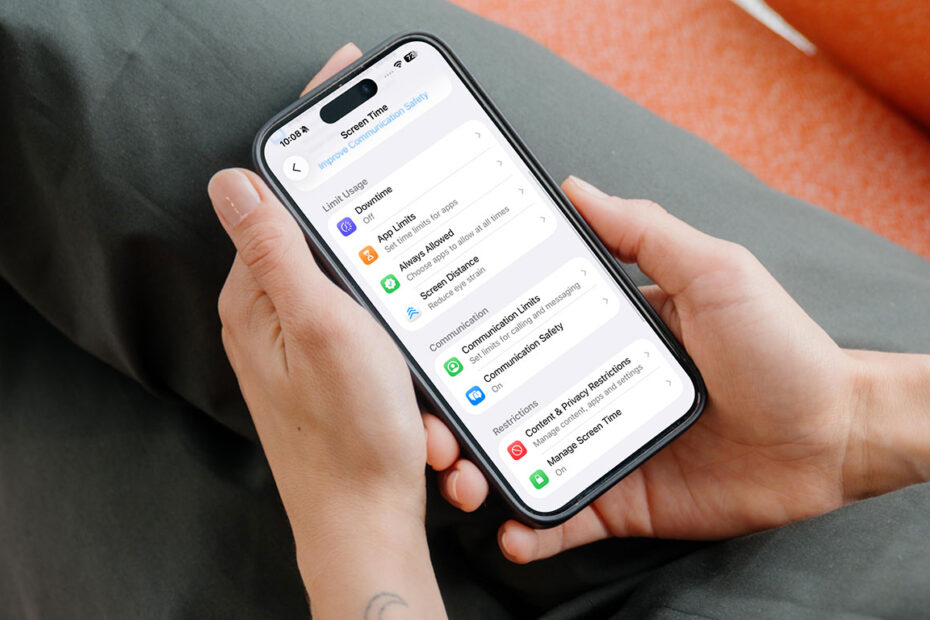

A report from GEEKOM suggests parents should be running a digital check-up for their kids before going back to school – a ten-minute checklist of settings you ought to check before they start using devices for homework, not just playtime.
Ofcom research found that 53% of UK parents say going online helps their child with schoolwork or homework, so the device matters more than a lot of parents give it credit for. The trouble is most families set it up once and never touch the settings again – even as the apps, the risks and the kid using it all change.
GEEKOM’s Max Tang put together seven checks for parents, and though his advice was originally aimed at general computer use, it maps onto iPhone and iPad pretty well. Here’s our own tweaked version aimed at Apple families.
Screen Time and bedtime limits
Set App Limits on games and entertainment apps while leaving anything educational untouched, so older kids can still finish revision after the games have locked out. Settings > Screen Time > App Limits, plus a Downtime window for bedtime.
Content restrictions
“Parental controls help reduce exposure to inappropriate content, but they’re not a guarantee,” Tang says. “They work best alongside conversations with children about staying safe online.” That’s Settings > Screen Time > Content & Privacy Restrictions – web filters, app age ratings, the usual.
Purchase and download permissions
“It’s surprisingly common for payment details to remain saved to an account,” Tang says. “Make sure purchases require authentication, so children can’t accidentally spend money with a single click.” Turn on Ask to Buy for Family Sharing, and require Face ID for every purchase under Screen Time > Content & Privacy Restrictions > iTunes & App Store Purchases.
Camera, microphone and location access
“If you can’t think of a good reason why an app needs access to the microphone or camera, it’s worth reviewing that permission,” Tang says. Settings > Privacy & Security lists every app and what it can see – worth a scroll, especially for anything installed over summer.
Automatic updates
“Updates aren’t just about new features,” Tang points out. “Many contain important security fixes, and children are downloading files and visiting lots of websites through the school year.” Settings > General > Software Update > Automatic Updates, both toggles on.
Where homework is actually saved
“The worst time to discover homework isn’t backed up is the night before it’s due,” Tang says. Check iCloud Backup is on under Settings > [name] > iCloud, and make sure whatever app they’re writing in actually saves to iCloud Drive rather than sitting locally.
Sleep and battery settings
Less of an issue than on a desktop left running overnight, but Auto-Lock under Settings > Display & Brightness still saves battery – and means there’s charge left for tomorrow.