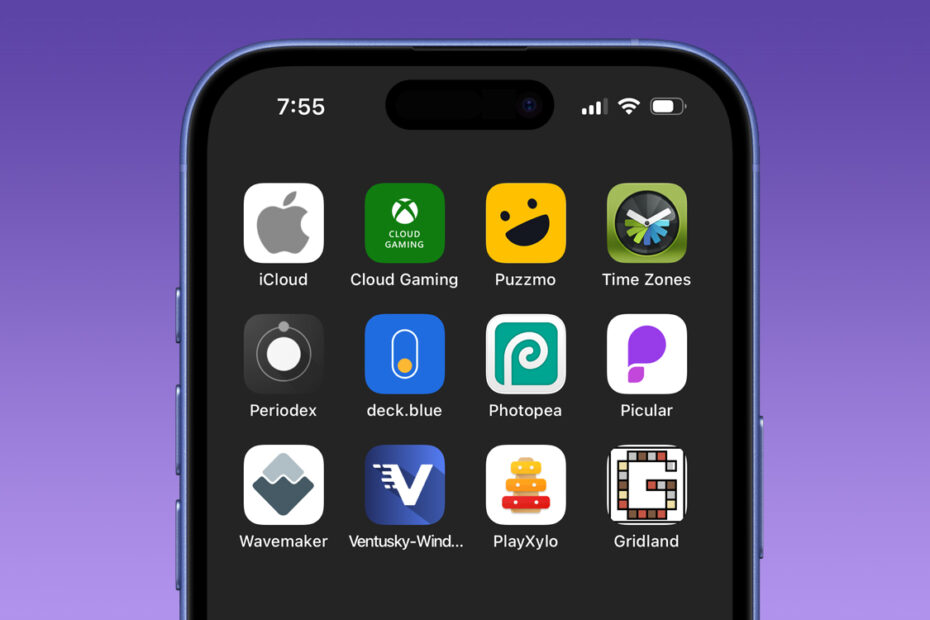

- Create an app-style icon for any website
- Open saved sites in a clean, standalone view
- Discover powerful web apps that skips the App Store
Did you know you can turn almost any website into what feels like a native iOS app? If there’s a site you visit regularly, you can pin it to your Home Screen and launch it with a single tap, just like any other app.
Some developers release entire apps this way, sidestepping the App Store to avoid Apple’s regulations or their cut. Some utilities are just too simple to bother releasing on the App Store, but they work well as small web apps like this. But even if all you want to do is set up a quick link to your favorite blog, this trick has you covered.
To do it, open the website in Safari and tap the Share button. Scroll down and choose Add to Home Screen, rename it if you like, and tap Add. An icon will appear on your Home Screen. Some sites provide a proper app-style icon, while others use a snapshot of the page. Either way, tapping it takes you straight there.
This handy trick has existed for years, but it quietly become more useful in iOS 26 last year. Previously, only specially-designed “progressive web apps” could open in their own dedicated window. Now, any site you add this way launches in a standalone, app-like view, separate from your regular Safari tabs. It feels cleaner and helps keep frequently used sites just a tap away without cluttering your browser.
If you’re looking for ideas, we’ve already rounded up some of the best websites that work brilliantly this way in our dedicated Best Web Apps roundup.