

Apple Music’s new AutoMix feature is one of the most fun additions in iOS 26, transforming ordinary playlists into seamless DJ-style mixes. It uses on-device AI to decide how one track should flow into the next – sometimes fading, sometimes overlapping beats, and occasionally just pausing briefly between songs. The result is a more dynamic, continuous listening experience.
Although AutoMix uses Apple’s machine learning smarts, it isn’t officially part of the Apple Intelligence suite, which means it works perfectly fine on older iPhones too. Let’s take a closer look.
How AutoMix works
AutoMix is designed for playlists and Apple Music’s personalized stations – by default, it won’t work on full albums out of respect for the artist’s intended pacing. But if you start an album from somewhere in the middle, you can enable AutoMix to hear a remixed version of something familiar. Sneaky.
The feature analyses tempo, rhythm, and key to decide when to crossfade, beat-match, or skip a section entirely. It’s often impressively smooth, with only the occasional clunky cut when a song’s structure is too complex for the AI to handle. Note that intros and outros are frequently trimmed away, so the whole thing moves along at a brisk pace. Depending on your listening preferences, that could be a good or a bad thing.
How to turn on AutoMix
AutoMix should be available by default. Open Apple Music and start playing a playlist or station. Tap the MiniPlayer at the bottom of the screen to see the Up Next view. You’ll see an AutoMix button near the top right you can use to turn the feature on or off at any time. (It looks like two overlapping circles.)
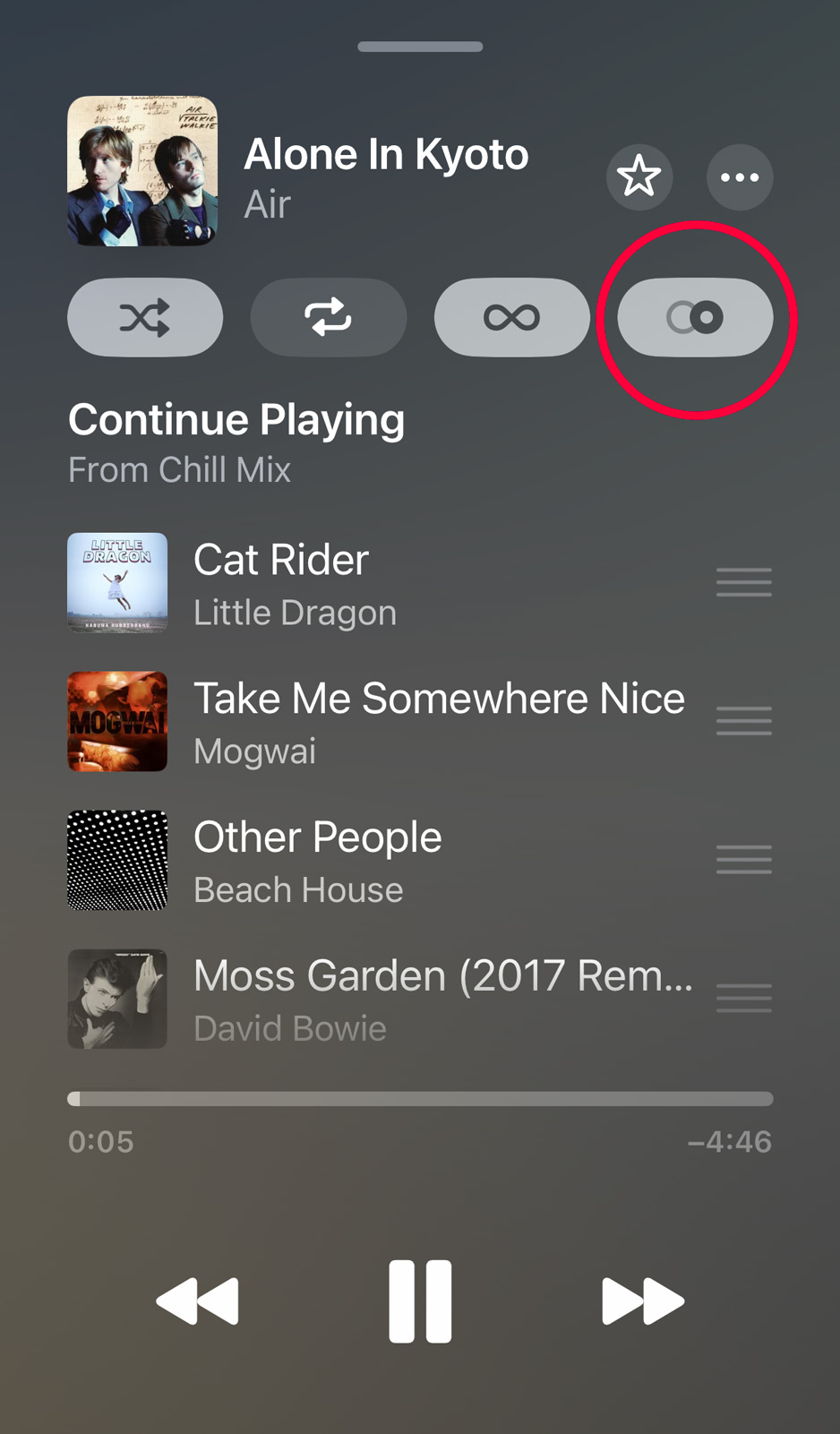
If you don’t see the toggle, head into the Settings app, scroll to Apps > Music > Song Transitions, and ensure it’s toggled on. From there, you can choose AutoMix for Apple’s smart transitions, or Crossfade if you prefer a fixed fade between tracks.
Once that’s done, If transitions don’t trigger, it’s usually because you’re listening to a full album in order, or to songs uploaded from your personal library rather than Apple’s catalog.