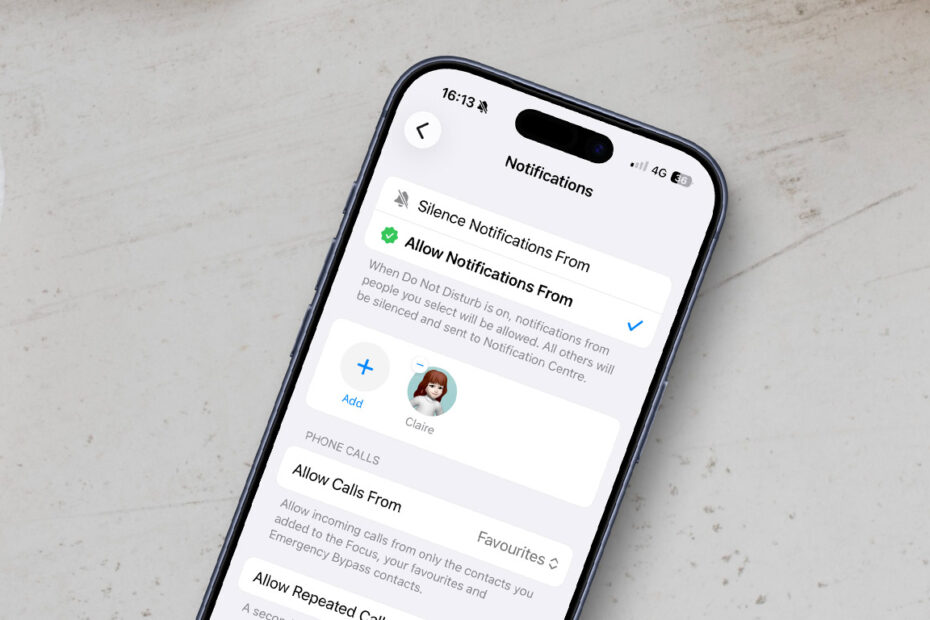

- Allow messages from specific people across multiple apps
- Focus modes rely on contact details, not just app permissions
- Fix missing alerts by checking and linking contact cards
Focus modes are one of iOS’s most powerful tools for reducing distractions. Do Not Disturb is just one option — you can also create custom Focus modes for work, sleep, exercise, or any other situation where you want tighter control over notifications.
The real strength of Focus modes isn’t blocking everything. It’s choosing exactly who and what is allowed to break through when it matters.
Allowing important people through the noise
When setting up a Focus mode, you can allow notifications from specific people. This is ideal for letting messages from a partner, family member, or colleague reach you while everything else stays quiet.
You’ll find this under Settings > Focus > [Focus Mode] > People, where you choose which contacts are allowed to notify you.
This is where many people get confused.
If you allow a specific person, like your spouse, does that only allow Messages and FaceTime alerts? Or will messages from third-party apps like WhatsApp also come through?
The important detail
Focus modes look at contacts, not just apps.
Open the allowed person’s contact card in the Contacts app and scroll through their details. If you see a WhatsApp section listed alongside their phone number or email address, then WhatsApp messages from that person will break through your Focus mode – even if WhatsApp itself isn’t allowed.
If the app appears on the contact card, iOS treats messages from that app as coming from the allowed person. Allowing people instead of apps gives you much finer control.
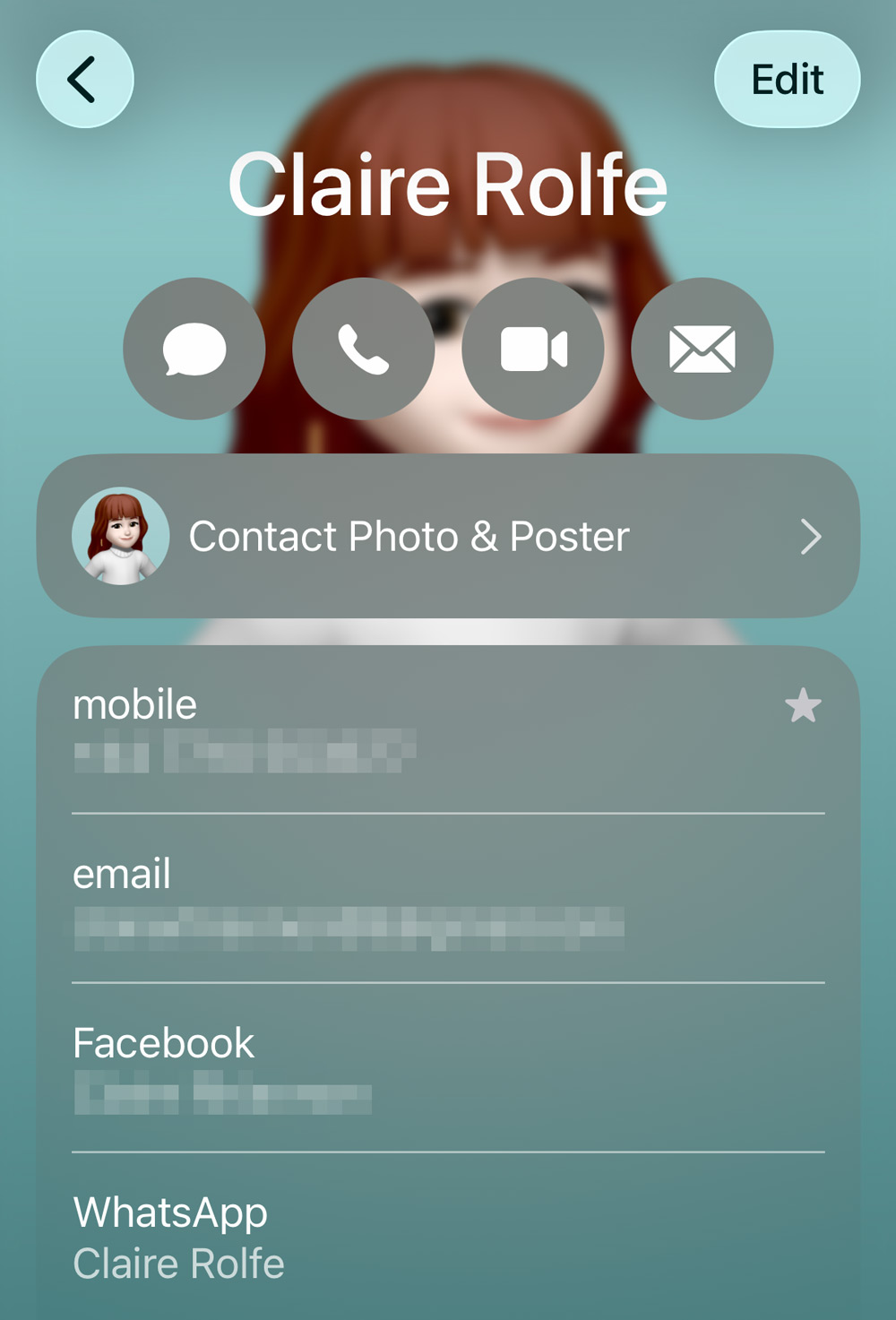
Rather than letting every WhatsApp notification through, only messages tied to the specific contact are allowed. Group chats, broadcasts, and messages from other people remain muted, keeping distractions to a minimum.
Troubleshooting
If WhatsApp isn’t appearing on a person’s contact card, there are a couple of things to check.
First, open WhatsApp and tap the person’s avatar to view their profile. If you don’t already have them saved as a contact, tap Create New Contact and add their name and details.
Next, return to the Contacts app and check their contact card again.
If WhatsApp still doesn’t appear, it’s possible that the same person exists as multiple entries in your address book. To fix this, open their contact in Contacts, tap Edit, then choose Link Contacts at the bottom. You can merge duplicate entries so iOS understands they’re the same person.
Once everything is linked correctly, Focus modes should reliably allow messages from that person across all supported apps.