Part of Important SettingsTip 1 of 11
If you upgrade your iPad but don’t want to lose everything that’s on your old device, it’s easy to make a backup and transfer it to your new tablet. And there are two options.
Use iCloud
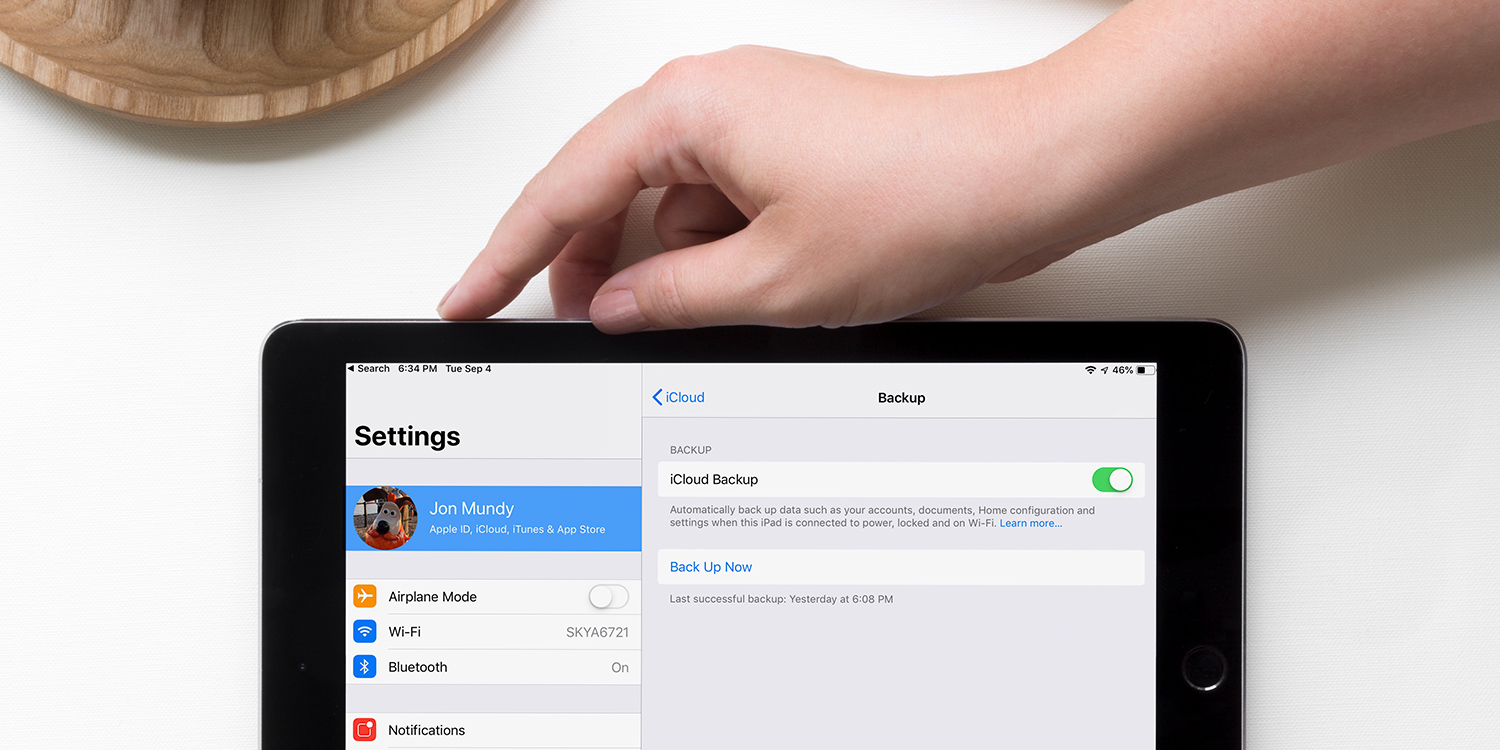
First, make sure your old device is connected to Wi-Fi. Head to Settings, then tap your name, iCloud, and then iCloud Backup.
Turn iCloud Backup on, then tap Back Up Now.
Now turn on your new device (and transfer the SIM to it if applicable). Once the “Hello” screen appears, follow the steps.
Join a Wi-Fi network, and follow the subsequent steps. Once you reach the Apps & Data screen, hit From iCloud Backup and then Next.
Sign in to iCloud and then choose the backup you just made.
Use a computer
You can also back up to a Mac using Finder, or to a Windows PC using the Apple Devices app. Connect your iPad to your computer with a USB-C cable (or Lightning on older models), select your iPad, and click Back Up Now.
Now follow the steps above for setting up your new device, but once you reach the Apps & Data page, tap From Mac or PC instead.