
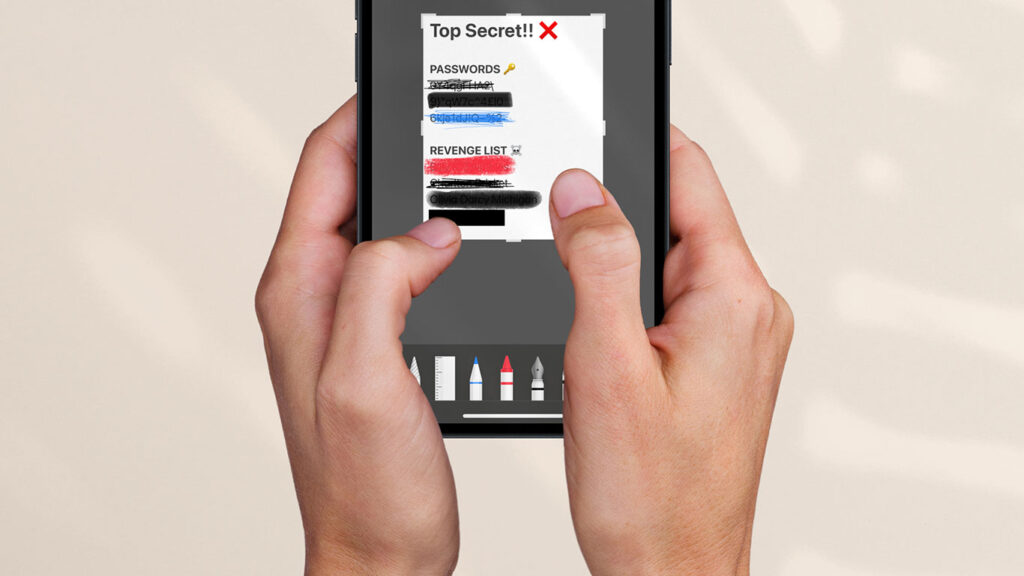


- Why scribbling over text doesn’t actually hide it
- How someone could reveal “censored” info in seconds
- The only reliable way to redact screenshots on iPhone
We’ve all done it. You take a screenshot, notice something sensitive in the frame, and quickly scribble over it using iPhone’s Markup tools before sending or posting it. Job done – or so it seems.
In reality, many common redaction methods don’t fully hide what’s underneath. With a few simple image adjustments, someone can often reveal text that looks completely covered. If you’re sharing screenshots publicly, it’s worth knowing which tools are genuinely safe – and which aren’t.
Lights, camera, redaction
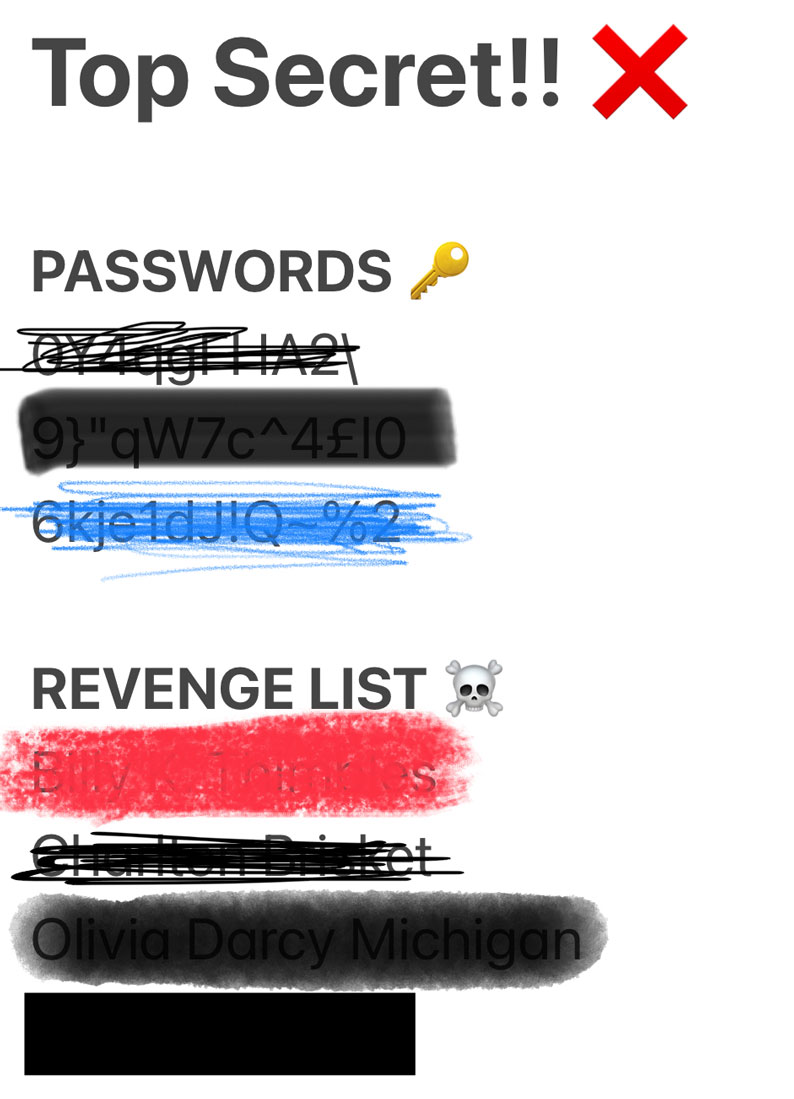
The example above is a pretty extreme example of how not to censor text. But even if you go wild with the scribbles until you can’t read a single character, (almost) every tool in the markup kit can be thwarted with very basic image editing skills.

This means anything you post online could potentially be uncovered if you’re not careful. Any prying eyes who wanted access to your secrets would only have to fiddle with the brightness and contrast settings to coax out the original text data. That’s because those drawing tools are partially transparent, even when layered up.
So what’s the solution?
A trusty black rectangle, of course. Or a green oval, or pink star. So long as the opacity is set to 100% and it fully covers the text, no level of image manipulation will be able to see beneath a simple shape used as a censor bar. Check out that image from earlier again – the bottommost line has been redacted using a black rectangle, and it’s bulletproof.
Here’s how to do it if you’re not familiar.
Take a screenshot and tap the thumbnail in the corner to immediately edit it. Press the + button in the lower right and tap Add Shape. Choose a shape and resize it by dragging the blue handles around its edges. At the bottom, you can choose any color so long as the opacity (number on the right hand side) is set to 100.
No pixels, no blurs
One final note: you might be tempted to use a more advanced editing app to cover your tracks with pixelation and blur effects. These certainly look more professional, although be wary that anyone with access to the right machine learning algorithms may be able to ‘reverse engineer’ even pixelated or blurred text.
Nothing beats the classic black bar. You have been warned.