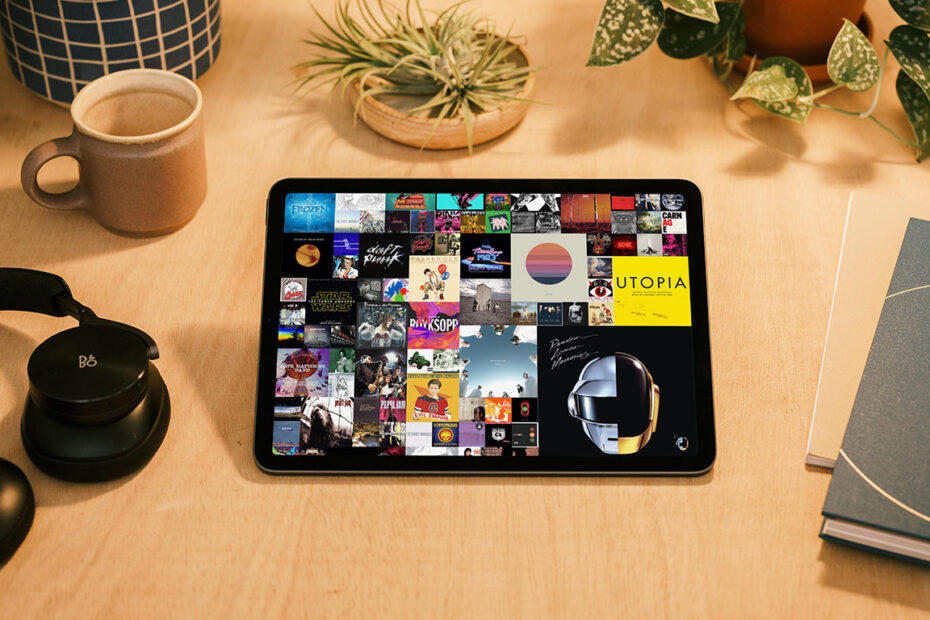

I’ve lived through major shifts in how we consume music. In my early days, I was surrounded by tapes and the occasional vinyl record – two very distinct formats. Records were all about the ritual: sitting down and listening to an album as a complete entity. Tapes were primarily about affordability, but blanks and dual cassette decks opened up the ability to make your own custom playlists.
Over time, that second mindset won out for most people – and, increasingly, for me. iTunes for Mac encouraged me to rip every CD I owned and quickly fashion new playlists of favorites. My iPod shuffle didn’t even have a screen – it just randomly played back whatever tracks were synced to it. Fast forward to today, and Apple Music barely acknowledges your personal library. Instead, it’s obsessed with immersing you in a world of endless personalized ‘stations,’ algorithms second-guessing what you might want to hear based on a single track.

Longplay for iPhone.
None of this is inherently bad. My Apple Music station has surfaced many songs I’d otherwise never have found. But there’s also a kind of mindlessness to it, a passivity that echoes much of modern digital life. It’s not about intention or focus. And it’s certainly not about respecting the craft of the album. Which is exactly why I love Longplay.
It’s not like there aren’t other third-party music players for iPhone. I’m also a fan of Cs Music Pro, which rewinds things back to the days when Apple actually cared about your collection rather than algorithms. But Longplay takes things further. It doesn’t just center on your library – it revels in the sanctity of the album.
Open the app, and your collection is presented as a grid of album covers. Tap one and the album plays. Swipe right on the grid and you get sorting options that are simultaneously practical and whimsical: ‘orderliness’ (alphabetical), ‘addiction’ (play count), ‘recency’ (recently added), and the likes of ‘negligence’ to surface those dusty corners of your library you’ve long ignored.

Longplay sorting options.
In its early days, that was basically it. Longplay was opinionated to an almost obstinate degree. I admired the purity. But I’m glad the app now softens the edges, letting you long-press an album to skip tracks or swipe the grid left for a screen full of cover art, track details, and playback controls.
My favorite feature, though, is Longplay’s dice button. This appears in the playback screen, in Spotlight, and in its widget, and it lets you shuffle albums rather than individual tracks. So when one album’s done, another begins. That gives me just enough surprise – not knowing what’s coming next – while keeping the focus on albums as artistic units, rather than my music collection merely existing as a 20,000-track jukebox.

Longplay playback screen, with dice button.
Fittingly, Longplay is a one-off purchase that costs about the same as an album did when I first started taking music seriously. Which makes it as close to a must-buy as you can find on iPhone if you want to fall in love with your own music library all over again and rekindle the notion of the album as an experience.
Download Longplay for iPhone and iPad ($6/£6) from the App Store. For more information about the app, visit the Longplay website.