
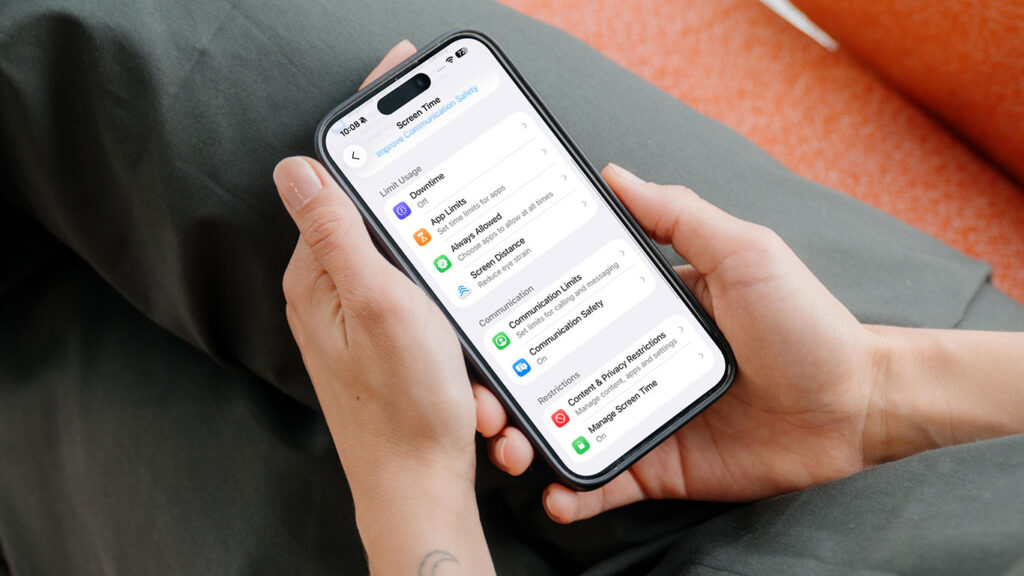


If you have kids, you’re probably wondering how to handle screen time and what they can see online – so it’s good to see Apple trying to make that simpler. It has teamed up with the American Academy of Pediatrics (AAP) on Building Healthy Digital Habits, a free online guide that walks you through setting up an iPhone or iPad for your children.
It arrives a couple of weeks after iOS 27 rebuilt Apple’s parental controls around a new Child Account, and it’s more useful than a list of settings: each step comes with advice from pediatricians on what’s sensible for your child’s age.
What’s in the guide
The guide is split into six steps. It starts with talking to your child about screen time before any rules go in, then covers creating a Child Account with age-based safeguards, and turning on Ask to Buy and Ask to Browse so new apps and websites need a parent’s approval.
From there, it moves on to Time Allowances and Schedules for limiting when and how long devices get used, and managing who your child can contact. Communication Safety, which blurs detected nudity in messages, is on by default for anyone under 18. The last step is revisiting the plan as your child gets older.
Alongside Apple’s instructions, you get the AAP’s screen time recommendations for each age group, from infants to teens, plus its Family Media Plan – a template for agreeing on how screens fit around sleep, exercise, homework, and family time.
The features covered need iOS 27 or iPadOS 27, and some vary by region and language. If you’d rather dive straight into the settings, our walkthrough of the new parental controls covers the lot.
A long time coming
Apple has been under pressure on this for years. Back in 2018, two major shareholders wrote an open letter asking for better parental controls, and Screen Time followed later that year.
Its track record has been patchy since. A Safari bug that let kids reach blocked websites went unfixed for around three years, until The Wall Street Journal’s Joanna Stern reported on it in 2024. At the time, Macworld‘s Roman Loyola wrote that “since iOS 13, it’s not obvious that Apple is still invested in improving it.”
Lawmakers are pushing, too. Texas now requires parental consent before under-18s can download apps – a law Apple lobbied hard against, arguing it would force it to collect sensitive personal data from all users, according to AppleInsider.
Against that backdrop, iOS 27 is Apple’s most serious attempt yet, beefing up both Screen Time and Family Sharing considerably. A guide won’t fix bugs, but pairing the settings with advice from pediatricians gives parents a clearer idea of what they’re actually aiming for.