

- Find free ebooks directly in Apple Books
- Download thousands of classic titles from Project Gutenberg
- Read everything comfortably on iPhone or iPad, offline
Our phones and tablets have become all-in-one devices for work, entertainment, and everything in between. While physical books are far from obsolete, ebooks offer a convenient way to carry an entire library without the extra weight.
The catch is that ebooks often aren’t cheap. Whether you want to read more without spending much money, or you’re keen to explore classic literature on the go, there are plenty of legitimate ways to read books for free on your iPhone or iPad. Here’s how to get started.
Finding free books in Apple Books
Apple’s built-in reading app, Apple Books, includes both paid titles and a rotating selection of free ones.
Open the Books app (or download it from the App Store if you don’t already have it installed), then tap the Book Store tab. At the top of the screen, tap Browse Sections and choose Special Offers & Free. From there, you can browse available titles and tap Get to download a book, just as you would when installing a free app.
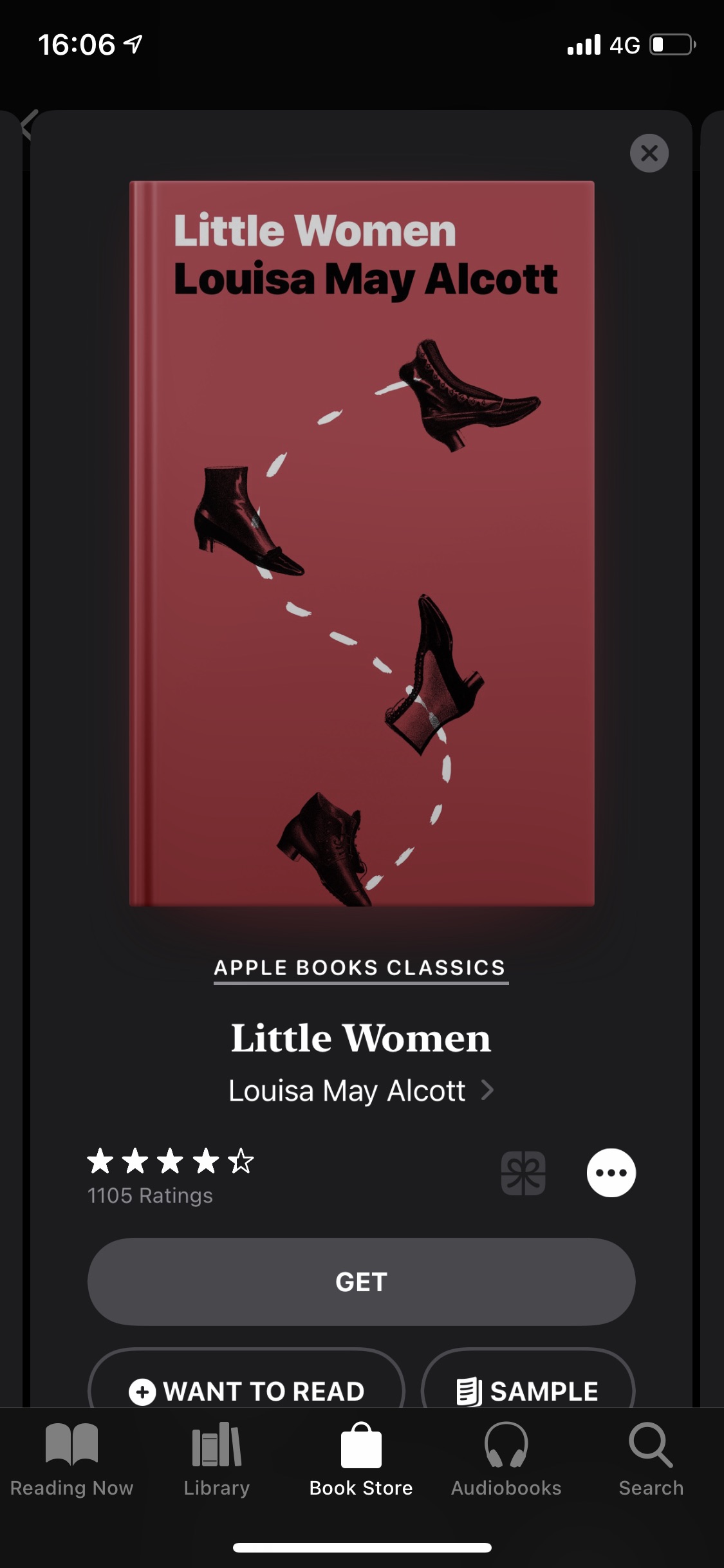
Once downloaded, switch to the Library tab and you’ll find your new book ready to read.
Most free titles in Apple Books are out-of-copyright classics. Think Frankenstein, Pride and Prejudice, Alice’s Adventures in Wonderland, Great Expectations, Huckleberry Finn, Metamorphosis, and many more. It’s an excellent way to revisit well-known works or finally tackle books you’ve always meant to read.
Dig deeper with Project Gutenberg
If you want an even larger selection, Project Gutenberg is one of the best free ebook resources available. It’s a long-running digital library dedicated to making out-of-copyright books freely accessible.
You can read directly on the Project Gutenberg website, but for the best experience on iPhone or iPad it’s worth downloading books into Apple Books.
Open Safari and visit gutenberg.org. To browse popular titles, go to Menu > Search & Browse > Popular. Once you’ve found a book you want, choose a download format. For Apple Books, EPUB is the best option.
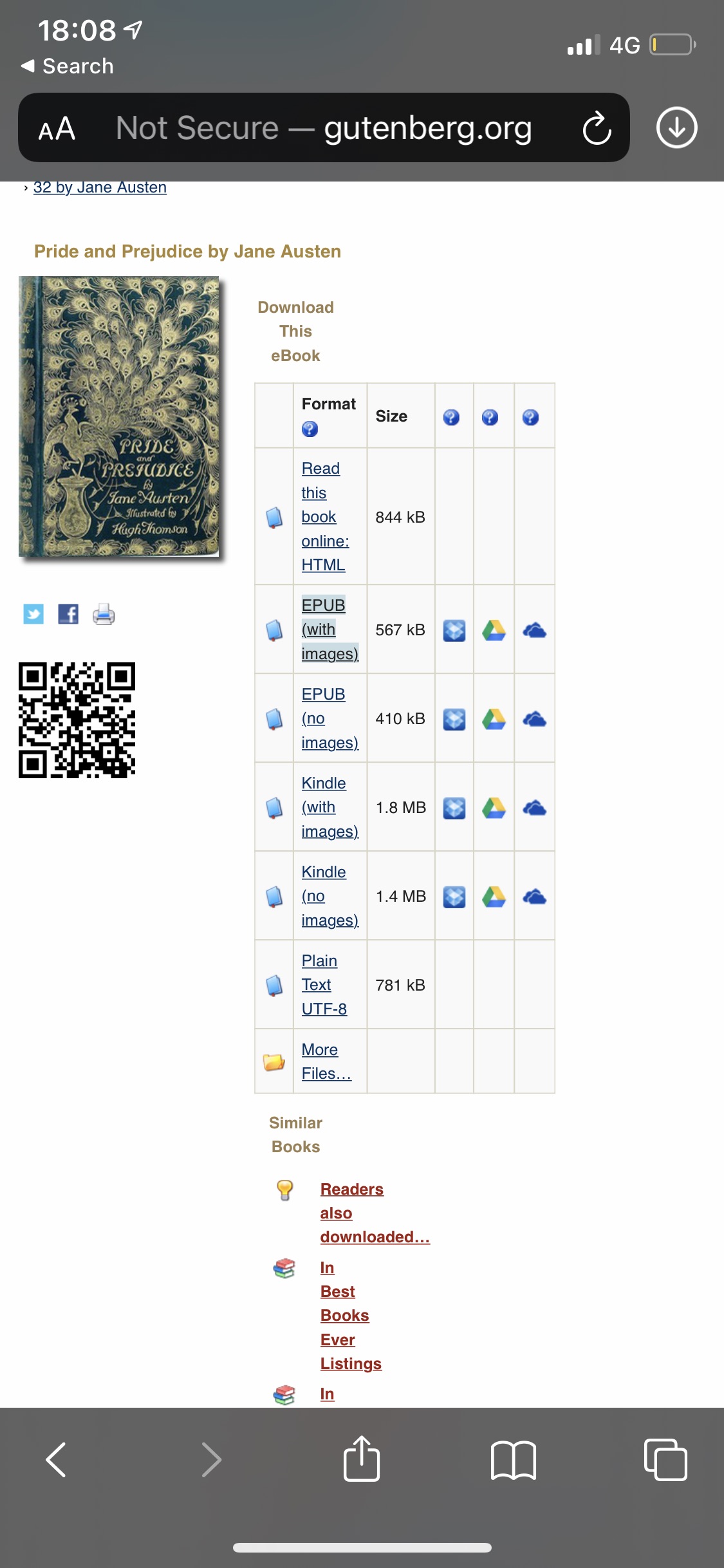
Tap the EPUB link, then Download. When the file finishes downloading, tap the downloads icon in Safari (the arrow in a circle), then tap the file. It will automatically open in Apple Books and be added to your library.
From there, you can read offline, adjust fonts and themes, and enjoy your free ebook just like any other.